
auto-post.io Review: Hands-Off AI Blog Automation Tested
auto-post.io promises to take the grind out of blogging: connect a site, pick topics, and let AI write and publish posts on a schedule. That pitch is appealing for solo bloggers and agencies managing multiple sites, but does the output hold up? This review breaks down how auto-post.io works, what it does well, where it falls short, and how to decide if it fits your workflow.
What auto-post.io actually does
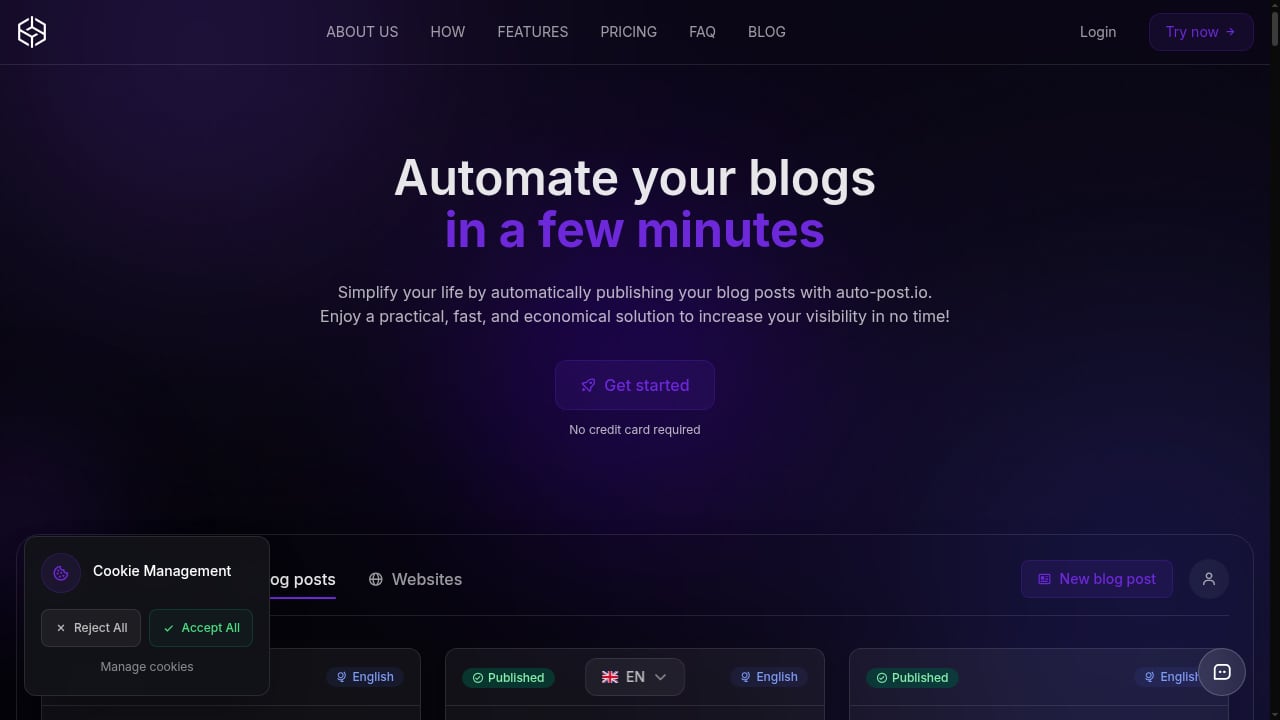
First viewport screenshot of auto-post.io.
auto-post.io is an AI-powered blog automation platform. You connect a website, create a campaign with topics or keywords, and the platform generates articles, adds images and internal links, and publishes directly to your CMS. Supported platforms include WordPress, Wix, Webflow, and Payload CMS. It also supports 29 languages and multiple AI models, including GPT-4.1 Mini, Gemini 2.5 Flash, and Claude 4 Sonnet.
The key difference from a standalone AI writer is the publishing layer. Instead of exporting a draft and uploading it manually, auto-post.io pushes finished posts live on a schedule you define. That makes it closer to an autoblogging system than a writing assistant.
Key features and how they work in practice
Multi-CMS auto-publishing
This is the headline feature. You can connect unlimited websites and campaigns even on the free plan, which is unusual. Posts can go live daily or as one-time publishes. The trade-off: there is no built-in approval queue, so if you want human review before publishing, you need to manage that outside the tool.
AI model flexibility
auto-post.io lets you choose from a range of models. Cheaper models consume fewer credits, while stronger models produce better drafts for important posts. The platform also supports image generation models such as GPT Image 1, FLUX Dev, and Pexels. Image-heavy posts consume more credits, so the estimated article counts per plan are optimistic if you rely on visuals.
Built-in SEO and internal linking
Each post ships with meta tags, target keywords, and automatic internal linking between your own articles. This is on-page hygiene rather than deep SERP research. You still need to choose keywords worth targeting. For a broader look at how free SEO tools fit into an AI content workflow, see our guide to Ahrefs Free Sign Up and AI content automation.
Scheduling and campaign management
Everything runs from one dashboard. You can create unlimited campaigns, queue topics, and set publishing cadence. Once configured, posts flow out automatically. This is where the time savings come from, especially for multi-site bloggers and agencies.
Pricing signals: what you pay and what you get
auto-post.io uses a credit model. The free plan includes 1,000 credits (roughly 4 articles) and does not require a credit card. Paid plans start at €9.99/month for Silver (10,000 credits, about 40 articles), €19.99/month for Gold (20,500 credits, about 80 articles), and €49.99/month for Platinum (55,000 credits, about 200 articles). Extra credits range from €1.50 per 1,000 on Free down to €1.00 per 1,000 on Platinum.
The headline article counts are estimates. Post length, model choice, and image generation all affect credit consumption. Long-form or image-rich content will hit your ceiling faster than the marketing math suggests. For a wider comparison of what AI content tools really cost, see Tracked Queries Pricing: What AI Content Tools Really Cost.
Setup and first-run experience
Setup is fast. You connect your site, choose a model, set a schedule, and create a campaign. The platform claims you can go from campaign setup to first published post in minutes. In practice, the workflow is straightforward, but you should budget time for configuring prompts, selecting topics, and reviewing early output before letting it run on autopilot.
A sensible first-run approach:
- Start on the free plan and publish a handful of posts.
- Review output quality for your niche.
- Adjust model choice and topic prompts.
- Only then scale to a paid tier.
Strengths and limitations
Strengths
- Genuinely hands-off publishing to WordPress, Wix, Webflow, and Payload CMS.
- Low entry price with a real free plan and paid tiers starting at €9.99/month.
- Unlimited campaigns and websites across tiers, which suits agencies and multi-site owners.
- Model flexibility for balancing cost and quality.
- 29-language support for multi-market content programs.
Limitations
- Generic default output. Posts are serviceable but often need a human editing pass before they can compete in crowded niches.
- No Shopify or Ghost support. Ecommerce blogs and Ghost-based publications are out of luck.
- No built-in approval queue. Human review must happen outside the platform.
- Fuzzy credit-to-article math. Actual output depends on length, model, and images.
- Shallow keyword research. It handles on-page SEO but not deep SERP-driven briefs.
Who should use auto-post.io?

First viewport screenshot of auto-post.io.
auto-post.io fits best for:
- Solo bloggers who want consistent publishing without manual uploads.
- Multi-site bloggers managing several properties from one dashboard.
- Small agencies that need to centralize client blogs without per-site fees.
- SaaS founders who want steady SEO content with minimal operational overhead.
It is a weaker fit for teams chasing top rankings in competitive niches, businesses on Shopify or Ghost, and anyone who needs a formal editorial approval workflow.
auto-post.io vs. alternatives

First viewport screenshot of auto-post.io.
If you mainly run WordPress and want a simple, low-cost writer with one-click publishing, Koala AI is a close competitor. If true set-and-forget autopilot matters more than per-post control, Journalist AI is worth a look. If ranking quality in competitive niches is the priority, research-led tools like SEOwind produce stronger briefs but require more hands-on work.
For a broader ranked view, see our Top 10 AI Content Marketing and SEO Platforms 2026. If you are comparing automation-first tools specifically, our AgentBooks vs GravityWrite comparison breaks down workflow and pricing differences.
Decision criteria: is auto-post.io worth it?

First viewport screenshot of auto-post.io.
Ask yourself these questions before subscribing:
- Do you need publishing automation or writing assistance? If you already have a writer and just need a CMS bridge, auto-post.io may be overkill.
- Is your CMS supported? WordPress, Wix, Webflow, and Payload CMS are in. Shopify and Ghost are not.
- Can you budget an editing pass? If yes, the value is strong. If you expect set-and-forget rankings, you will be disappointed.
- How many articles per month do you need? Match the credit estimate to your realistic output, not the headline number.
- Do you need approval workflows? If so, plan for an external review step.
Related reading
- AgentBooks vs Search Atlas vs GravityWrite: AI Content Showdown - Compare AgentBooks, Search Atlas, and GravityWrite for AI content automation, SEO, and copywriting. Find the best fit for your workflow.
Sources and further reading
- auto-post.io Review (2026) - auto-post.io is an AI content automation tool that writes SEO blog posts and publishes them straight to WordPress, Wix, or Webflow without touching your CMS.
- 7 Best Automated Blogging Software in 2026: Reviewed & Compared - The best automated blogging software overall in 2026 is Keytomic, for hands-off publishing, AI visibility tracking, auto-indexing and consistent performance in tests. For SEO plus backlinks and AI search visibility in one subscription, BabyLoveGrowth AI is the stronger pick at the same $99/month starting price.
- auto-post.io Software Pricing, Alternatives & More 2026 | Capterra - With the help of Capterra, learn about auto-post.io Software - reviews, pricing plans, popular comparisons to other AI Content Creation Platforms products and more.
FAQ
Is auto-post.io free to try?
Yes. The free plan includes 1,000 credits (roughly 4 articles) and does not require a credit card.
Does auto-post.io publish directly to WordPress?
Yes. It supports WordPress, Wix, Webflow, and Payload CMS. Shopify and Ghost are not supported.
How many articles can I publish per month?
Estimates range from about 4 articles on the free plan to about 200 on Platinum. Actual output depends on post length, AI model, and image generation.
Is auto-post.io good for SEO?
It handles on-page SEO, meta tags, and internal linking, but keyword research is shallow. You still need to choose worthwhile topics and edit for quality.
Can agencies use auto-post.io for multiple clients?
Yes. Unlimited campaigns and websites are available across tiers, making it suitable for agencies managing multiple blogs.
Conclusion
auto-post.io earns its place as a budget-friendly, genuinely hands-off blog automation tool. The free plan lowers the risk of testing, and the €9.99/month Silver tier undercuts much of the category. The caveats are real: generic default output, no Shopify or Ghost support, and fuzzy credit math. Treat it as a draft-and-publish engine with a human editing pass, and it can be a practical, economical way to keep your blog active without hiring writers or managing schedules manually.