
How to Use AgentBooks with Yoast SEO for Scalable, Optimized Content
Publishing SEO-friendly content at scale is hard. You need a steady flow of well-researched articles that match your brand voice, target the right keywords, and follow on-page best practices. AgentBooks, an autonomous content engine, handles the heavy lifting of planning, writing, and publishing. Yoast SEO, the trusted WordPress optimization plugin, ensures every piece meets real-time SEO standards. Together, they form a powerful content assembly line that turns your website into a growth machine—without exhausting your editorial team.
This guide walks you through the complete workflow, from keyword strategy to a fully published, Yoast-optimized post.
Why Pair AgentBooks and Yoast SEO?

How to Use AgentBooks with Yoast SEO: Step-by-Step Workflow product interface and feature overview.
AgentBooks functions as a content operating system. It learns your product’s brand, maps your market, plans topic clusters, researches organic search results, and continuously writes useful articles in your voice. It also handles technical metadata (title tags, descriptions, images) and can push live articles to your WordPress site via custom-domain publishing or API. However, AgentBooks focuses on content creation and publishing infrastructure—not on WordPress-level post optimization or live page analysis.
Yoast SEO fills that gap brilliantly. Its sidebar feedback in the WordPress editor gives you actionable checks: keyphrase density, internal linking suggestions, readability scoring, Schema markup, and social previews. When AgentBooks delivers a draft, Yoast SEO becomes your final quality control layer.
This combination solves:
- Content velocity: AgentBooks plans and writes at a scale impossible with manual teams.
- On-page consistency: Yoast ensures every article hits technical SEO benchmarks.
- Brand alignment: AgentBooks grounds content in your product facts; Yoast helps tailor readability to your audience.
- Workflow transparency: Approve in AgentBooks, then refine in Yoast—no black-box generation.
Step 1: Plan Your Content Strategy with AgentBooks
How to Use AgentBooks with Yoast SEO: Step-by-Step Workflow - supporting product research image 4.
Start inside your AgentBooks workspace. The platform is built to replace spreadsheets and scattered keyword tools. Here’s how to prepare:
- Connect your website and let AgentBooks ingest your brand, products, and existing content. It automatically builds a brand intelligence profile.
- Explore categorized keyword plans. AgentBooks maps your market and suggests topic clusters around what your audience cares about, complete with search demand data.
- Select topics that align with your growth goals. For each, you can review the related organic search results it has already researched—see what competitors cover and where the gaps lie.
This step replaces manual keyword research and topic brainstorming. By the time you finish planning, you have a clear editorial calendar that Yoast will later help you refine at the page level.
Step 2: Generate SEO-Ready Drafts with AgentBooks
With topics chosen, initiate article generation. AgentBooks creates full drafts grounded in verifiable product facts and the context of the selected topic. Each article comes with:
- A working title tag and meta description (TDK)
- Optimized H1–H3 structure
- Placeholder or AI-suggested images with alt text
- Internal link suggestions based on your site’s existing pages
- The article body written in your defined brand voice
The drafts aren’t final; they’re well-researched, SEO-conscious starting points. AgentBooks focuses on usefulness rather than keyword stuffing, so the raw copy often needs only light polishing before it’s ready for Yoast.
If you’re comparing AgentBooks to other AI content platforms, you’ll find its commitment to transparent, approval-first workflows makes it friendlier for teams. For a deeper dive into how it stacks up against tools like Machined or ContentBot, check out our AgentBooks vs Machined vs ContentBot.ai comparison.
Step 3: Optimize Content with Yoast SEO Editor Check
How to Use AgentBooks with Yoast SEO: Step-by-Step Workflow product interface and feature overview.
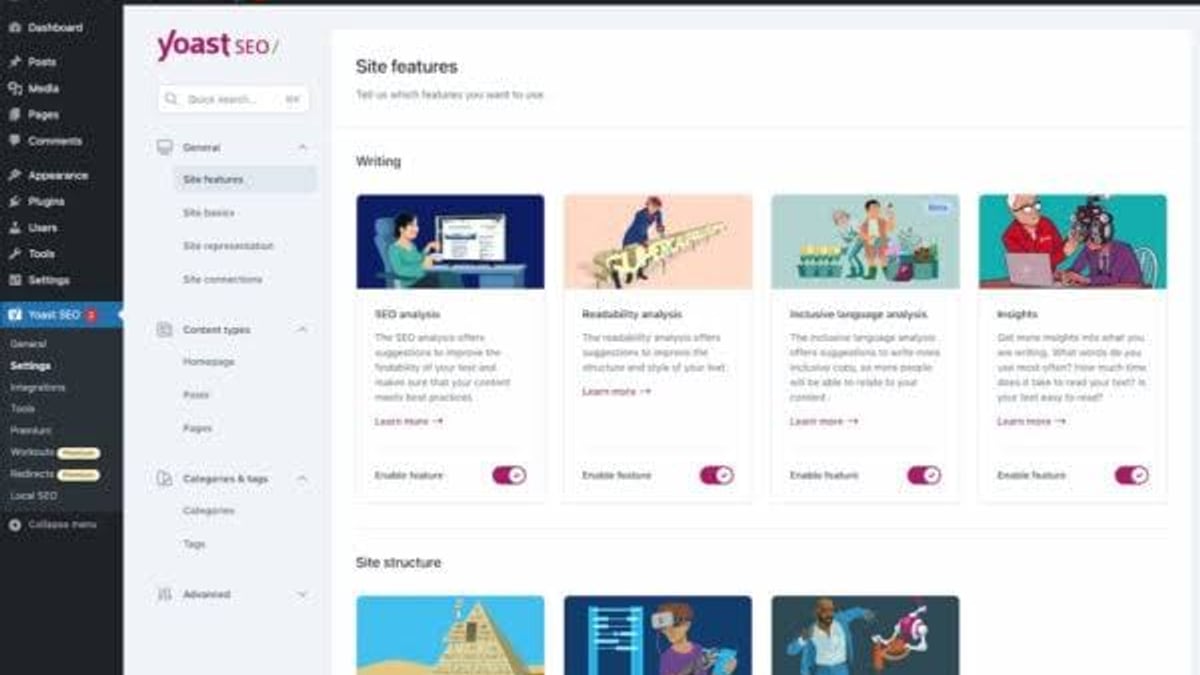
Once you import the AgentBooks draft into your WordPress site (via the built-in publishing API or a manual paste), Yoast SEO takes over the fine-tuning. Here’s a step-by-step optimization checklist:
a. Set the Focus Keyphrase
In the Yoast SEO sidebar, paste the primary keyword AgentBooks targeted. If the draft covered multiple related terms, consider upgrading to Yoast SEO Premium to add up to five keyphrases. The plugin will immediately scan the content and highlight areas for improvement.
b. Review SEO Analysis
Look at the bulletproof suggestions. Pay special attention to:
- Does the keyphrase appear in the first paragraph?
- Are the title and meta description length within limits?
- Are internal links present and relevant? (AgentBooks often suggests them, but you can adjust based on Yoast’s internal linking tool.)
- Is the keyphrase in the URL slug?
Because AgentBooks already structures content around topic research, these tweaks are typically minor.
c. Improve Readability
Yoast’s readability analysis flags long sentences, passive voice, or transition words. Use these recommendations to make the AgentBooks draft more skimmable for your audience. This is where human-AI collaboration shines: the AI writes fact-packed sections, and you trim for clarity.
d. Schema & Social Preview
Yoast automatically handles Schema markup (Organization, Breadcrumbs, Article) if configured correctly. Check the social preview tabs to ensure the image and description carry over well from AgentBooks’ suggestions.
Step 4: Leverage Yoast Premium AI to Enhance AgentBooks Outputs
How to Use AgentBooks with Yoast SEO: Step-by-Step Workflow - supporting product research image 3.
If you run Yoast SEO Premium or the AI+ package, you get additional tools that complement AgentBooks’ automation:
- Yoast AI Generate: Click to instantly create an alternative SEO title or meta description. This is useful when you want to A/B test different phrasing without leaving the editor.
- AI Optimize: Get real-time content improvement suggestions beyond the standard analysis, including sentence rewrites and structure tweaks.
- Internal linking suggestions: Yoast’s premium feature automatically recommends related posts. Use it to add links that AgentBooks may have missed, strengthening your site’s topic clusters.
These AI layers don’t conflict; they enhance each other. AgentBooks gives you robust raw material, and Yoast AI polishes it to meet evolving search engine expectations.
A Practical Workflow Example
Imagine you run a SaaS company selling a project management tool. Your team wants to rank for “agile project management for remote teams.”
- AgentBooks: You select the topic from its keyword plan. The platform researches the top organic results, outlines subtopics (like remote standup techniques, asynchronous communication), and generates a 1,500-word draft complete with a suggested title “Agile Remote Project Management: How Healthy Teams Deliver” and meta description.
- AgentBooks → WordPress: The draft is pushed to your WordPress installation as a post draft.
- Yoast SEO: You open the draft, set “agile project management for remote teams” as the focus keyphrase. Yoast flags that the phrase is missing from the first paragraph and that the meta description length is too short. You adjust the intro sentence and lengthen the description using Yoast’s snippet editor. The readability score is green after breaking down a long bullet list.
- Go Live: With a few clicks, the post is both well-researched and meets on-page SEO best practices. The entire process from topic selection to publish-ready draft took one hour instead of a full day.
Problems This Combination Solves
1. Scaling content without diluting quality
Content agencies or large teams are expensive. AgentBooks writes consistently at scale; Yoast ensures each piece doesn’t slip through with basic SEO errors.
2. Brand voice consistency
AgentBooks learns your specific product details and writes accordingly. Yoast’s inclusive language analysis even helps you maintain an accessible tone that matches your brand guidelines.
3. Wasted time on research
Instead of hopping between keyword tools and SERP analysis, AgentBooks centralizes that work. You only enter WordPress to apply the finishing touches guided by Yoast’s feedback.
4. SEO blind spots
Even great AI content can miss on-page technicalities like keyphrase placement, alt text completeness, or internal link gaps. Yoast acts as a safety net.
If you’re weighing AgentBooks against other AI content generators, you might also find our AgentBooks vs GravityWrite comparison helpful, especially if all-in-one quick generation is part of your evaluation.
Related reading
- Siteimprove Review 2026: Is It the Right DXP for Your Team? - In-depth Siteimprove review: pros, cons, pricing, and user feedback. See if this all-in-one accessibility, SEO, and content platform fits your team’s needs.
Sources and further reading
- The beginner’s guide to Yoast SEO - Beginner's guide to Yoast SEO simplifies WordPress optimization. Learn to configure Yoast SEO for better results today.
- Yoast SEO: A Beginner’s Guide to the WordPress Plugin - Learn how to use the Yoast SEO plugin for WordPress to improve your site’s visibility in search engines.
- Configuration guide for Yoast SEO - Read Yoast's help article and get answers on Configuration guide for Yoast SEO
Frequently Asked Questions
Can AgentBooks replace Yoast SEO?
No. AgentBooks focuses on content creation, strategy, and publishing. Yoast SEO is a WordPress plugin that analyzes and optimizes pages already in WordPress. One creates content; the other audits it. They work best together.
Do I need Yoast Premium to use AgentBooks articles?
Not at all. The free version of Yoast provides essential keyphrase and readability checks. Premium adds multiple keyphrases, AI suggestions, and internal linking tools that can accelerate the final refinement of AgentBooks drafts.
How does AgentBooks handle on-page SEO without Yoast?
AgentBooks generates metadata titles, descriptions, and structures content according to its topic research. It also includes image alt text and internal link suggestions. However, it does not provide real-time editor-side analysis in WordPress like Yoast does, so using Yoast alongside it catches gaps that even advanced AI might overlook.
Does AgentBooks work with Shopify or only WordPress?
AgentBooks supports custom-domain publishing and an API, so it can work with various platforms. Yoast offers a dedicated Shopify app as well. While this guide focuses on WordPress, the content strategy workflow remains similar for any platform—AgentBooks for creation, Yoast (or Shopify’s native SEO app) for optimization.
Conclusion
Pairing AgentBooks with Yoast SEO creates a robust content pipeline that balances scale with precision. AgentBooks eliminates the blank-page problem by continuously researching your market and drafting brand-aligned articles. Yoast SEO then ensures each piece hits the technical markers that search engines and readers love. Together, they let you run a high-velocity content operation without hiring a full editorial team, giving you more time to focus on strategy, product growth, and connecting with your audience.