
How to Use Contentpen: A Step-by-Step SEO Writing Guide
Contentpen is an AI-powered writing assistant built for SEO and GEO-optimized article creation. Instead of juggling separate tools for keyword research, drafting, and publishing, it brings those stages into one workflow. This guide walks through the complete process—from signing up to exporting a finished article—so you can decide whether it fits your content operation.
What Is Contentpen?
Contentpen positions itself as an AI writing tool that combines article generation with search-focused optimization. Its core features include:
- SEO scoring that evaluates meta titles, descriptions, readability, and linking
- Keyword research with difficulty, volume, and intent data
- SERP analysis that studies top-ranking competitors and builds outlines to beat them
- Built-in media library for storing generated and uploaded images
- Direct publishing to Ghost, Wix, Webflow, Shopify, WordPress, and ContentStudio
- Google Search Console integration for tracking clicks, impressions, CTR, and average position
These features target a specific problem: writing articles that rank requires research, drafting, optimization, and distribution—steps that usually live in separate tools. Contentpen compresses them into one interface.
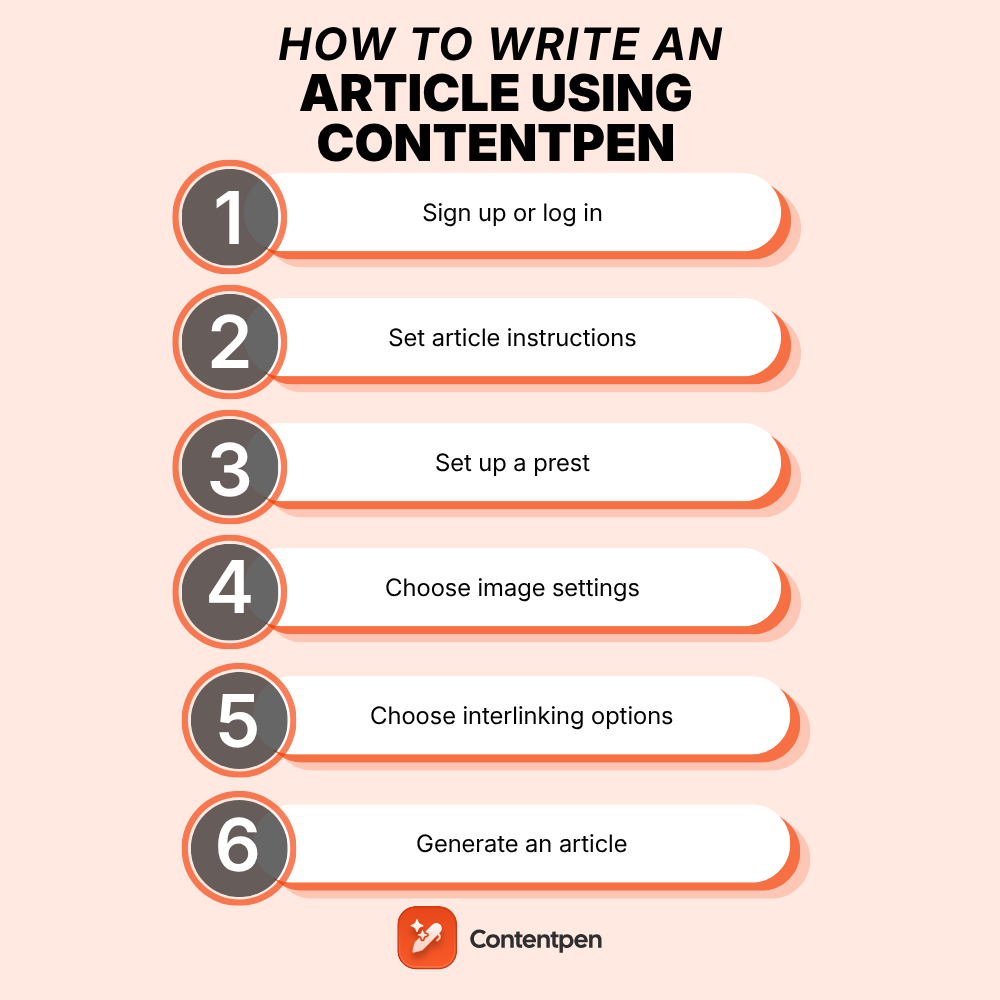
Step 1: Sign Up or Log In
How to Use Contentpen: A Step-by-Step SEO Writing Guide - Step 1: Sign Up or Log In.
Visit the Contentpen website and choose Sign up if you're new or Log in for an existing account. New users enter their name, email, password, company name, and company type.
Contentpen offers a free 7-day trial. You'll be asked for card details during signup, but nothing is charged during the trial period, and you can cancel at any time. After entering your credentials, you land on the main dashboard.
Step 2: Create a New Article
From the dashboard, open the Planner section. Click the Create Article button in the upper-right corner to start a new project.
This is where Contentpen diverges from a blank document. Instead of staring at an empty editor, you choose a workflow template that determines how the AI behaves.
Step 3: Choose a Template

How to Use Contentpen: A Step-by-Step SEO Writing Guide - Step 3: Choose a Template.
Contentpen offers five templates, each suited to a different content scenario:
| Template | Best For |
|---|---|
| Generate article with AI | Creating a full article in one shot from a focus keyword and secondary keywords |
| Generate an article in Two Steps | Building an outline first, editing it, then generating the final draft |
| Refresh Existing Content | Updating an old post with angles competitors missed, plus new visuals |
| Add internal and external links | Only modifying links in existing content (requires a configured sitemap) |
| Start blank | Writing manually with optional help from the Ask AI assistant |
For most new articles, the Two Steps template is the safest choice. It gives you a checkpoint to review the outline before the AI writes the full piece. The one-shot template is faster but leaves less room for course correction.
Step 4: Customize Article Settings
After selecting a template, Contentpen walks you through six customization categories.
Basics
Add your primary keyword, topic, and secondary keywords. You can also include custom instructions—for example, "mention our pricing page in the conclusion" or "avoid competitor names." Choose a content preset and the folder where the article should be saved.
Style
Define the tone of voice, target audience, and point of view. Contentpen supports 50+ languages and multiple target countries, which matters if you're publishing for a specific regional audience.
Formatting
Select formatting options like bold, italics, tables, quotes, and lists. You can also set the heading letter case (sentence case, title case, etc.) to match your brand style guide.
Structure
Set the article length and provide custom instructions for the introduction. Tick the extra sections you want included, such as key takeaways, conclusions, and FAQs. These choices directly affect the final article's scannability.
Media
Choose the type of featured and in-article images you want generated. Contentpen offers 12 visual styles, so you can match your brand's aesthetic without a separate design tool.
Linking
Configure internal and external linking rules. Add your sitemap to enable internal linking, include or exclude specific domains for external links, or toggle external links off entirely. Use the Test Sitemap URL button to verify Contentpen can access your site structure.
Step 5: Generate the Article
Once all settings are complete, you'll see a "Ready to create your article" screen. You can save the current configuration as a preset for future articles—useful if you publish regularly with consistent style and structure.
Click Create and wait for processing. Generation time depends on the template and article length. The two-step template takes longer because it pauses for outline approval.
Step 6: Review and Optimize
After generation, resist the urge to publish immediately. Contentpen's output is a strong draft, not a finished product. Run through this review checklist:
Check the SEO Score
Open the right-hand panel to see Contentpen's SEO analysis. It evaluates your meta title, meta description, keyword usage, readability, and linking strategy. Work through the flagged suggestions to raise the score before publishing.
Refine with Ask AI
Highlight any section that feels weak and use the Ask AI assistant to rephrase, expand, or adjust it. You can give broad instructions like "make the introduction more conversational" or "add a concrete example here."
Review Metadata
Check the article's slug, target keyword, audience persona, and editorial status. These settings affect how the article appears in search results and how your team tracks it.
Add Team Comments
If you work with editors or other writers, leave comments on specific sections to explain your reasoning or flag areas that need a second look.
Step 7: Export and Publish
Before exporting, Contentpen lets you verify the article's foundation:
- Content outline — confirm the structure matches your intent
- SERP analysis — compare how competitors write for the same keyword
- SERP knowledge — check which top-page data the AI used
- Brand knowledge — verify product or service mentions and CTAs
Then choose your output path:
- Share a link with your team for feedback
- Assign the article for editing or review
- Publish directly to WordPress, Wix, Webflow, Shopify, or Ghost
- Export as HTML, Markdown, or .docx
The direct publishing option is the biggest time-saver. If you've connected your CMS, the article moves from draft to live without copy-pasting or reformatting.
Contentpen vs. Autonomous Content Engines
Contentpen is a strong assistant for writers who want control over each article. You set keywords, choose templates, configure style, and review every draft. That hands-on approach works well for teams with established editorial standards.
But it's worth understanding the alternative. Platforms like AgentBooks take a different approach: instead of requiring you to configure each article, they learn your product, map your market, and publish content continuously with minimal manual input. If you're evaluating tools, the decision comes down to workflow preference:
- Choose Contentpen if you want granular control over individual articles and enjoy the review-and-refine loop.
- Choose an autonomous engine if you want topic planning, research, and publishing to happen without per-article configuration.
For teams already using Contentpen-style tools, SEO automation can help you identify which parts of the workflow to hand off and which to keep manual.
Common Workflow Mistakes to Avoid
Skipping the Outline Review
The two-step template exists for a reason. If you skip outline review and jump straight to generation, you risk a well-written article that misses your angle. Spend five minutes checking the outline against your content brief.
Ignoring the Sitemap Setup
Internal linking only works if Contentpen can access your sitemap. Test the URL before generating, not after. A broken sitemap means the AI can't place contextual internal links, which weakens your site's topical authority.
Publishing Without a Human Edit
AI-generated content still needs a human pass. Check facts, add first-hand experience, and adjust the voice to match your brand. Contentpen's Ask AI assistant helps with revisions, but the final judgment should be yours.
Overloading Custom Instructions
Custom instructions are powerful, but too many constraints can confuse the AI. Keep them to three or four clear directives per article. If you need more, create a preset instead of repeating instructions every time.
Related reading
- SMILE CRM QuickCreator: Features, Pricing & Reviews - Learn how SMILE CRM QuickCreator builds custom CRM apps without code, its key features, deployment options, pricing, and real user feedback.
- How to Install Yoast SEO in WordPress (Step by Step) - Learn how to install Yoast SEO on WordPress using three methods: automatic installer, plugin search, and manual ZIP upload. Includes setup and troubleshooting.
Sources and further reading
- How to write an article using Contentpen? - This guide explains how to write an article using Contentpen. It walks users through the complete process, from signing up and creating a new article to selecting templates and customizing SEO settings. The article also highlights Contentpen’s key features, including structure formatting and smart linking. Readers will learn how to generate, edit, and export high-quality content efficiently.
- How to create an article using Contentpen - Want to create a high-quality, SEO-friendly blog in minutes—without the overwhelm? In this step-by-step tutorial, we show you exactly how to generate a compl...
- How to start a blog? 8 steps, platforms, and a checklist - This guide explains how to start a blog in 2026 using a step-by-step approach for beginners. It covers choosing a niche, selecting a blogging platform, buying a domain and hosting, designing your blog, planning content, and publishing posts. The article also explores SEO and GEO optimization, blog monetization methods, and a complete pre-launch checklist. Readers will also learn how to choose blog topics and grow a blog sustainably.
Frequently Asked Questions
Is Contentpen free to use?
Contentpen offers a free 7-day trial that includes access to the platform's core features. After the trial, you'll need a paid plan to continue. Card details are required at signup, but you won't be charged during the trial period.
Which CMS platforms does Contentpen support?
Contentpen publishes directly to WordPress, Wix, Webflow, Shopify, Ghost, and ContentStudio. You can also export articles as HTML, Markdown, or .docx for manual upload to other platforms.
How does Contentpen's SEO score work?
The SEO score analyzes your meta title and description, keyword usage, content readability, and internal and external linking. It flags specific areas for improvement so you can raise the score before publishing.
Can Contentpen refresh existing articles?
Yes. The Refresh Existing Content template analyzes your current post, identifies angles competitors cover that you don't, and generates updated content plus new visuals. This is useful for recovering traffic on pages that have slipped in rankings.
What's the difference between the one-shot and two-step templates?
The one-shot template generates a complete article immediately from your keywords and settings. The two-step template creates an outline first, lets you edit it, and then generates the full article. Two-step is slower but gives you a checkpoint to correct direction before the AI writes thousands of words.
Does Contentpen handle multilingual content?
Yes. Contentpen supports 50+ languages and lets you target specific countries. You can set the language in the Style settings when customizing an article.
Conclusion
Contentpen compresses keyword research, SERP analysis, drafting, optimization, and publishing into a single workflow. The template system gives you flexibility—from one-shot generation to manual writing with AI assistance—while the SEO score and Ask AI assistant keep quality in check.
The key to getting value from it is treating the output as a strong first draft, not a final product. Review the outline, check the SEO suggestions, refine weak sections, and add your own expertise before publishing. Used that way, Contentpen can cut hours from your article production process without sacrificing the human judgment that makes content worth reading.
If you're exploring the broader landscape of AI writing tools, this comparison of QuickCreator AI and autonomous content engines provides useful context on how different platforms approach the same problem.