Yoast SEO: What It Actually Does, What It Costs, and Where It Fits
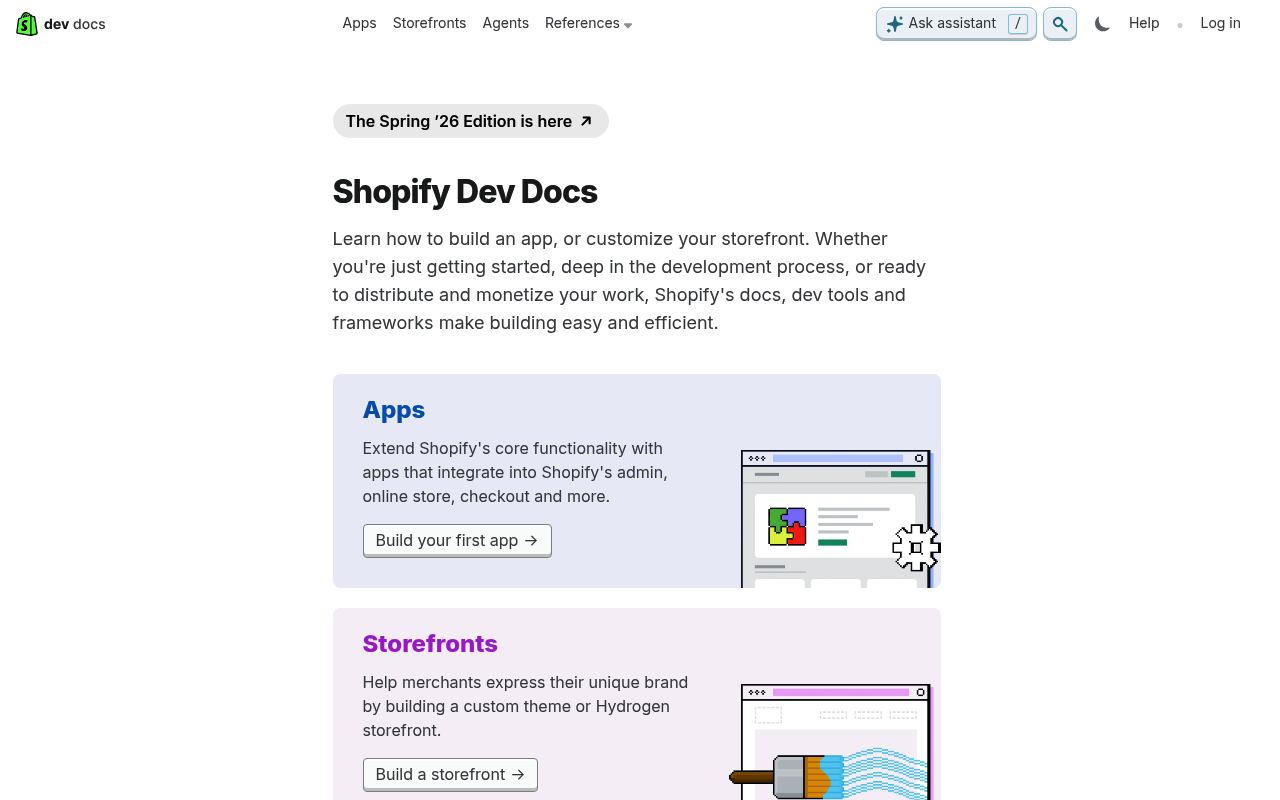
Yoast SEO is one of the most widely installed WordPress plugins in the world, with more than 13 million active users. It promises to make search engine optimization accessible to everyone—from solo bloggers to in-house marketing teams—through real-time content feedback, automated technical SEO, and, more recently, built-in AI tools.
But what does Yoast SEO actually do? How much of it is free, and what do you unlock with Premium? And where does it fit if you're also considering autonomous content platforms? This guide breaks down the features, pricing, setup process, and honest limitations so you can decide whether Yoast SEO is the right tool for your site.
What Is Yoast SEO?
Yoast SEO: Features, Pricing, and Honest Limits - What Is Yoast SEO?.
Yoast SEO is a WordPress plugin that helps you optimize individual pages and posts for search engines. It was first released in 2008 and has since grown into a full ecosystem that includes Premium extensions, a Shopify app, online courses, and AI-powered writing assistance.
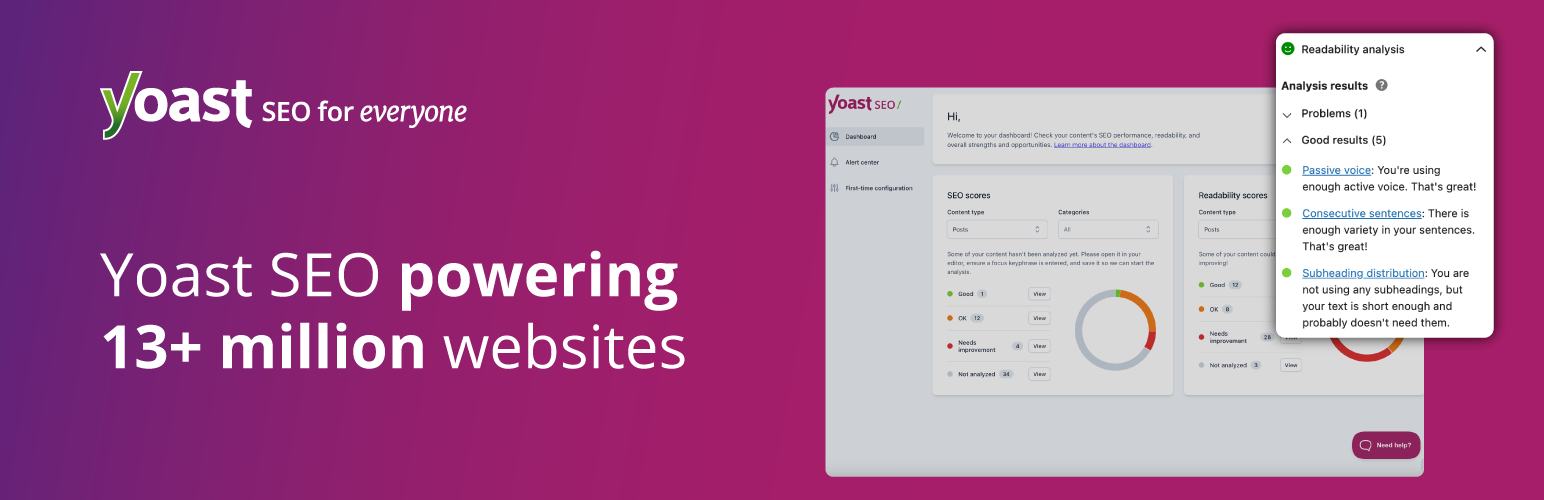
The core philosophy is simple: you shouldn't need to be an SEO specialist to give your content a fair chance of being discovered. The plugin translates complex SEO concepts into a traffic-light system—red, orange, and green indicators that tell you what to fix before you publish.
What Yoast SEO Does (and Doesn't Do)
It's important to set expectations clearly. Yoast SEO is an on-page optimization and technical SEO tool, not a content generation engine or a keyword research platform.
What it does:
- Analyzes your content against a focus keyphrase and gives real-time feedback
- Generates XML sitemaps automatically
- Adds Schema.org structured data to help search engines and AI systems understand your content
- Manages canonical URLs, meta tags, and breadcrumbs
- Provides readability and inclusive language analysis
- Offers AI-assisted title, meta description, and content suggestions (Premium)
- Suggests internal links and identifies orphaned content (Premium)
What it doesn't do:
- Research keywords or analyze search competition on its own (it integrates with Semrush and Wincher for that)
- Write complete articles from scratch
- Publish content automatically on a schedule
- Build backlinks or manage off-page SEO
- Replace a full content strategy
If your bottleneck is creating useful content at scale, you'll likely need a separate content workflow—which we'll return to later.
Yoast SEO Free vs Premium: What's the Difference?
Yoast SEO: Features, Pricing, and Honest Limits - Yoast SEO Free vs Premium: What's the Difference?.
The free version of Yoast SEO is genuinely capable. It covers the fundamentals: focus keyphrase analysis, readability checks, XML sitemaps, basic schema, canonical URLs, and social previews. For a small blog or a site just getting started with SEO, the free plugin is often enough.
Premium builds on that foundation with automation and AI features designed to save time. Here's a practical comparison:
| Feature | Free | Premium |
|---|---|---|
| Focus keyphrase analysis | 1 keyphrase | Up to 5 keyphrases |
| Readability analysis | Yes | Yes |
| Inclusive language analysis | Yes | Yes |
| XML sitemaps | Yes | Yes |
| Basic Schema.org markup | Yes | Yes |
| Advanced schema types (E-E-A-T signals) | No | Yes |
| AI-generated titles and meta descriptions | No | Yes |
| AI content optimizer | No | Yes |
| AI Content Planner | No | Yes |
| Internal linking suggestions | No | Yes |
| Redirect manager | No | Yes |
| Orphaned content workout | No | Yes |
| Social previews for Facebook and X | Basic | Advanced |
| 24/7 support | No | Yes |
| Yoast SEO Academy access | Limited | Full |
Yoast SEO Premium Pricing
Yoast SEO Premium costs $118.80 per year (excluding VAT) for a single site. Bulk discounts apply if you purchase multiple subscriptions, and agencies managing 100+ client sites can access custom licensing.
Premium now bundles three extensions at no extra cost:
- Yoast Local SEO – local business schema, store locator, opening hours
- Yoast Video SEO – video sitemaps and structured data for video content
- Yoast News SEO – XML news sitemaps and Google News optimization
Yoast SEO for Shopify
For e-commerce teams on Shopify, Yoast offers a separate app at $19 per 30 days (excluding VAT). It provides real-time SEO guidance for product pages and collections, with a 14-day free trial. The Shopify version focuses on helping products stand out in Google Shopping and organic results.
Yoast WooCommerce SEO
WordPress users running WooCommerce stores can purchase the WooCommerce SEO bundle, which builds on Premium with product-specific schema, AI-generated product titles and descriptions, and tailored SEO analysis for product pages.
Yoast SEO's AI Tools: What They Actually Do
Yoast SEO: Features, Pricing, and Honest Limits - Yoast SEO's AI Tools: What They Actually Do.
Yoast has integrated AI directly into its Premium workflow. Unlike standalone AI writing tools, these features live inside the WordPress editor you already use—no separate subscription or credit system.
AI Generate
Creates five SEO-friendly title and meta description options instantly. You can regenerate for more variations and approve the one you like.
AI Optimize
Suggests improvements to keyphrase placement—introduction, distribution, and density—with the option to apply or dismiss each edit individually. This is useful for refining existing drafts rather than generating new content.
AI Summarize
Generates a quick summary of your post that you can place anywhere in the block editor. Helpful for long-form content where readers benefit from a TL;DR.
AI Content Planner
Suggests five site-specific post ideas and builds a structured starter draft when you open a new post. The ideas are grounded in your own site's existing content, not generic topics. This is a meaningful step toward solving the "blank page" problem, though it still requires you to write and refine the actual content.
Bulk Editor with AI Drafts
The bulk editor is free and lets you review titles, meta descriptions, and focus keyphrases across your entire site. With Premium, you can select pages that need work and let AI draft the metadata—including social sharing titles and descriptions—for you to approve in bulk.
Important: All AI suggestions wait for your approval before anything saves. Yoast positions AI as an assistant, not an autopilot.
How to Set Up Yoast SEO
Yoast SEO: Features, Pricing, and Honest Limits - How to Set Up Yoast SEO.
Setting up Yoast SEO is straightforward, even for beginners. Here's the basic workflow:
- Install the plugin – From your WordPress dashboard, go to Plugins → Add New, search for "Yoast SEO," and install it.
- Run the configuration wizard – Yoast's step-by-step wizard walks you through site type, organization details, and search engine visibility settings.
- Set your site representation – Choose whether your site represents a person or an organization, which feeds into your schema markup.
- Connect integrations – Link Google Search Console, Semrush, or Wincher if you use them.
- Configure content types – Decide which post types and taxonomies should appear in search results.
- Start optimizing – Open any post or page and begin using the traffic-light analysis.
If you're switching from another SEO plugin like Rank Math or All in One SEO, Yoast includes built-in import tools to migrate your existing settings safely.
For a more detailed walkthrough of the WordPress plugin specifically, see our Yoast SEO WordPress plugin setup guide.
Yoast SEO and AI-Driven Discovery
One of Yoast's most significant recent shifts is its focus on AI-driven discovery. People increasingly find content through ChatGPT, Gemini, Perplexity, and Claude rather than typing queries into Google. Yoast SEO Premium addresses this in three ways:
Schema Aggregation
Premium combines your site's structured data into a single, deduplicated graph. This means AI agents can get a complete picture of your content in one request instead of crawling dozens of individual pages.
LLMs.txt Management
Yoast generates and manages an llms.txt file—a format that helps large language models understand which pages matter on your site. Premium gives you manual control over which pages are included.
Bot Blocker
You can control which AI crawlers (GPTBot, CCBot, Google-Extended) are allowed to use your content for training. This is a notable feature for publishers who want to protect their content from being used without consent.
AI Brand Monitoring (Yoast SEO AI+)
The newest tier, Yoast SEO AI+, adds brand visibility tracking across ChatGPT, Gemini, Perplexity, and Claude. It monitors sentiment and citations so you can see how AI systems represent your brand—and whether your content is being surfaced in AI-generated answers.
Where Yoast SEO Falls Short
Yoast SEO is excellent at what it does, but it's not a complete content growth solution. Here are the honest limitations:
It Doesn't Create Content
Yoast's AI tools can draft titles, meta descriptions, summaries, and starter outlines. But the actual writing—the research, the synthesis, the original thinking—still falls on you or your team. If your content pipeline is stalled because you can't produce articles fast enough, Yoast won't solve that.
Keyword Research Requires Third-Party Tools
Yoast analyzes content against a keyphrase you provide. It doesn't discover keywords for you. You'll need Semrush, Wincher, or another research tool to identify what to target.
It's WordPress-Centric (Mostly)
The core plugin is WordPress-only. The Shopify app exists, but if you're on Webflow, Squarespace, or a custom stack, Yoast isn't an option.
Scaling Content Still Requires a Process
Even with Premium's AI Content Planner and bulk editor, you still need a repeatable workflow: research, drafting, optimization, approval, publishing, and internal linking. Yoast helps with optimization and some technical tasks, but the content production pipeline remains manual.
Yoast SEO vs Autonomous Content Platforms
This is where the comparison gets interesting. Yoast SEO optimizes content you create. Autonomous content platforms like AgentBooks create content for you—then you can optimize it further with Yoast.
Here's how the two approaches differ:
| Aspect | Yoast SEO | Autonomous Content Platforms |
|---|---|---|
| Primary function | On-page optimization | Content research and generation |
| Content creation | AI assists with metadata and outlines | Publishes complete articles |
| Keyword research | Requires third-party integration | Built into the platform |
| Publishing workflow | Manual, inside WordPress | Automated or approval-first |
| Technical SEO | Strong (sitemaps, schema, redirects) | Varies by platform |
| Best for | Optimizing existing content | Scaling content production |
These tools aren't mutually exclusive. A practical workflow might look like this:
- Use an autonomous platform to research topics, map your market, and draft articles in your brand voice
- Review and refine the content
- Publish to WordPress
- Use Yoast SEO to verify optimization, manage schema, and handle technical SEO
If you're evaluating AI writing tools, our guide on choosing an AI blog writer covers what to look for and how to build a repeatable workflow.
Who Should Use Yoast SEO?
Yoast SEO Free is ideal for:
- Bloggers and hobbyists who want basic SEO guidance
- Small business owners managing their own WordPress site
- Anyone who wants to learn SEO fundamentals through hands-on feedback
Yoast SEO Premium is ideal for:
- In-house marketing teams that need consistent standards across contributors
- Entrepreneurs who want to cover SEO fundamentals without hiring specialists
- Content creators who publish regularly and want AI assistance with metadata
- Agencies that manage multiple client sites
Yoast SEO may not be the best fit if:
- You're not on WordPress or Shopify
- Your primary challenge is producing content at scale
- You want an all-in-one platform that handles research, writing, and publishing
Related reading
- ContentBot AI Free: What You Get, Limits & Alternatives - What does the ContentBot AI free plan actually include? See free trial limits, pricing tiers, core tools, and how it compares to autonomous content platforms.
- QuickCreator Free Trial: What You Actually Get in 7 Days - A practical breakdown of the QuickCreator free trial: 600 credits, what you can test, what it costs after, and how it compares to autonomous content platforms.
Sources and further reading
- Yoast SEO Premium - Designed for in-house marketers, creators, and entrepreneurs using WordPress. Get real-time SEO guidance, AI-assisted content optimization, and Local, News & Video SEO in Yoast SEO Premium. No expert knowledge needed.
Frequently Asked Questions
Is Yoast SEO free?
Yes, the core Yoast SEO plugin is free and includes focus keyphrase analysis, readability checks, XML sitemaps, basic schema, and canonical URL management. Premium adds AI tools, advanced schema, internal linking suggestions, redirect management, and 24/7 support.
How much does Yoast SEO Premium cost?
Yoast SEO Premium costs $118.80 per year (excluding VAT) for one site. Bulk discounts apply for multiple subscriptions, and agencies with 100+ sites can access custom pricing.
Does Yoast SEO work with Shopify?
Yes, Yoast offers a separate Shopify app at $19 per 30 days (excluding VAT) with a 14-day free trial. It provides real-time SEO guidance for product pages and collections.
Can Yoast SEO write articles for me?
No. Yoast's AI tools can generate titles, meta descriptions, summaries, and starter outlines, but they don't write complete articles. You still need to create the actual content—or use a dedicated content platform for that.
Does Yoast SEO help with AI search visibility?
Yes. Premium includes schema aggregation, LLMs.txt management, and bot blocker controls to help AI systems understand your content and to give you control over which AI crawlers can access it. The newer AI+ tier adds brand monitoring across ChatGPT, Gemini, Perplexity, and Claude.
Is Yoast SEO better than Rank Math?
Both are capable WordPress SEO plugins. Yoast has a longer track record, a larger user base, and stronger AI-readiness features. Rank Math offers more features in its free tier. The best choice depends on your specific needs, budget, and workflow preferences.
Can I use Yoast SEO with an AI content platform?
Yes. Many teams use autonomous content platforms to research and draft articles, then use Yoast SEO to verify optimization, manage schema, and handle technical SEO before publishing. The tools serve complementary functions.
Conclusion
Yoast SEO remains one of the most reliable and accessible SEO tools available for WordPress users. Its traffic-light system makes on-page optimization approachable for beginners, while Premium's AI features, schema aggregation, and technical automation save meaningful time for teams that publish regularly.
The key is understanding what Yoast SEO is—and what it isn't. It's an optimization and technical SEO tool, not a content engine. If your site already has a steady stream of content and you need to ensure it's properly optimized, Yoast is an excellent choice. If your challenge is producing that content in the first place, you may want to pair Yoast with a dedicated content platform or an autonomous content growth solution that handles research, drafting, and publishing at scale.
For most WordPress site owners, the free version is a smart starting point. Upgrade to Premium when you find yourself spending too much time on metadata, struggling with internal linking, or wanting AI assistance inside your existing editor.
Learn more about Yoast SEO directly on the official Yoast website or explore the Yoast SEO plugin on WordPress.org.