
Yoast SEO Review: Is Premium Worth $99? Honest Breakdown
Yoast SEO is one of those tools that sparks intense debate. With over 13 million users and a product suite spanning a free WordPress plugin, a premium upgrade, a Shopify app, and an entire online academy, it’s undeniably a heavyweight in the search optimization world. Yet every forum thread and detailed review seems to land on the same question: is the premium version actually worth the money, or does the free plugin already do the heavy lifting?
This review takes an evidence‑based look at both the free and premium tiers, who they serve, where they shine, and where they really struggle. By the end you’ll know exactly whether to stick with the free version, upgrade, or use something else entirely.
Who Yoast SEO Is Really For
Yoast SEO Review: Is Premium Worth $99? Honest Breakdown product interface and feature overview.
Yoast isn’t an all‑or‑nothing tool; it fits different users in different ways:
- Beginners and casual bloggers who want a simple, guided checklist for on‑page basics.
- Small business owners managing their own WordPress site and needing to set meta tags, sitemaps, and social cards without touching code.
- eCommerce stores on WordPress (WooCommerce) or Shopify that require automated technical tweaks, canonical URLs, and redirect management.
- Agencies that manage multiple client sites and want a uniform SEO workflow, though only the premium tier’s redirect manager and support save meaningful time.
- Learners who prefer structured education – Yoast’s SEO Academy offers courses from fundamentals to advanced topics.
If you already have a solid grasp of SEO and prefer granular control, or you’re on a tight budget and willing to piece together free alternatives, Yoast premium will likely feel unnecessary. But for those who value having technical SEO tasks simplified inside a familiar dashboard, either version can be a solid companion.
Yoast SEO Free: The Backend Powerhouse
Yoast SEO Review: Is Premium Worth $99? Honest Breakdown - supporting product research image 2.
Many people know Yoast for its traffic‑light content analysis, but the plugin’s real strength lives in the technical backend. The free version alone gives you:
- Meta title and description editing for every post, page, and taxonomy – a non‑negotiable for any SEO effort.
- Automatic XML sitemap generation, which you can submit to Google Search Console without extra configuration.
- Social media tag control – set custom Facebook and Twitter images, titles, and descriptions so your shares look professional.
- Canonical URL setting to avoid duplicate content issues.
- Robots.txt and .htaccess file editing right from the dashboard, no FTP required.
- Breadcrumbs support to enhance navigation and schema.
- Internal links counter – a column in your post list shows at a glance how many internal links each piece has, a simple reminder to build topic clusters.
These features alone cover the checklist of technical SEO must‑haves for most sites. As SEO consultant Claire Paniccia points out, Yoast excels at making advanced backend tasks accessible; without it, you’d be digging into code or additional plugins. For many users, the free version genuinely is enough.
Yoast SEO Premium: What Does an Extra $99/Year Actually Give You?
Yoast SEO Review: Is Premium Worth $99? Honest Breakdown - supporting product research image 3.
The premium upgrade layers on a handful of features, but their real‑world value varies enormously:
- Multiple focus keywords (up to 5) – the headline feature. In theory you optimize for a cluster of related terms, but the analysis still relies on exact‑match detection. Partial matches and natural variations don’t turn the bullets green, leading many experienced users to ignore the scoring for secondary keywords.
- Internal linking suggestions – while automatically suggesting related posts as you write sounds handy, it pulls suggestions each time you edit, which can increase CPU usage on low‑end hosting. Seasoned content creators tend to insert internal links manually because they understand context better than an algorithm.
- Redirect manager – the one feature that consistently earns praise. When you change a permalink, Yoast automatically creates a 301 redirect, sparing you from manually fixing broken links. It also imports redirects from the popular Redirection plugin. If you frequently restructure URLs, this alone might justify the price.
- Content insights – shows word frequency across your text. Since Google’s algorithm no longer relies on keyword density, this is mostly noise.
- Social previews – lets you see how a URL will look on Facebook and Twitter. Custom image uploads (available in free) already guarantee proper formatting; the preview is a “nice to have” rather than essential.
- 24/7 chat and email support – valuable if you’re a non‑technical user who may need help.
A recurring theme in user feedback is that premium doesn’t directly improve rankings – it streamlines a few maintenance tasks. The automatic redirect creation is genuinely useful, but beyond that, similar functionality can be assembled for free with tools like Rank Math or standalone redirect plugins.
The Green‑Light Problem: When Content Optimization Leads You Astray
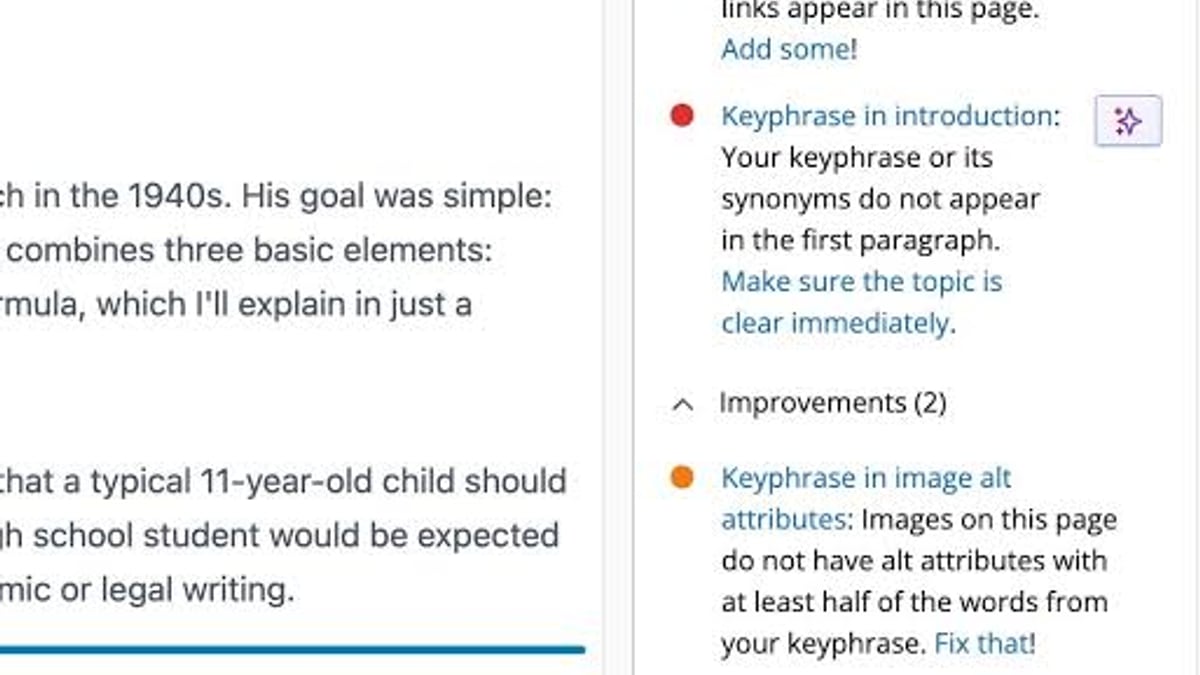
If you’ve used Yoast, the red‑orange‑green traffic lights are familiar. The plugin grades how well you’ve included your focus keyword in headings, alt text, URL, and body copy. This feedback loop can be helpful for beginners who might otherwise forget to set an alt tag. But it also has a dark side.
Because Yoast (free and premium alike) looks for exact matches of your focus keyword, writers often end up twisting sentences to include the phrase verbatim – a classic recipe for keyword stuffing. Google’s algorithms have long since moved past simple density checks. They now understand synonyms, related concepts (LSI), and the overall topic. A piece of content can rank strongly for a term even if that exact phrase only appears once, as long as the content thoroughly covers the topic.
Over‑optimizing for green lights can damage readability and, ironically, hurt organic performance. The smarter approach is to:
- Do keyword research before writing so you know the primary and secondary terms you want to rank for.
- Write a comprehensive draft that answers search intent naturally. AI content engines like AgentBooks can help at this stage by generating brand‑aligned, SEO‑aware drafts in bulk.
- Run Yoast’s analysis last. Treat the suggestions as a sanity check – maybe you forgot an image alt attribute or the meta description is missing – but never rewrite a natural sentence just to get a green bullet.
This “write first, polish later” workflow turns Yoast into a safety net rather than a rigid taskmaster.
Where Yoast Falls Short
Even enthusiastic users acknowledge blind spots:
- No backlink or competitive analysis – you’ll still need separate tools like Google Search Console, Ahrefs, or Semrush for off‑page SEO.
- Premium features are easily replicated – Rank Math’s free version offers multi‑keyword analysis, a redirect manager, and an internal link suggestion system without the $99/year price tag. Many developers prefer The SEO Framework for its lightweight, ad‑free philosophy.
- Readability analysis is a blunt instrument – the Flesch reading ease score can flag text as “difficult” even when it’s perfectly appropriate for the target audience. Writing for humans always trumps algorithm‑pleasing.
- No multi‑language keyword database – the focus keyword analysis remains language‑agnostic; it won’t tell you if you’ve chosen a low‑volume term.
- Strong WordPress bias – while a Shopify app exists, the full plugin experience (and most tutorial content) is tied to WordPress. If your site runs on a headless CMS or a modern DXP, you’ll need to evaluate whether the Shopify app or alternative solutions fit. Our top headless CMS comparison provides more context if you’re on a non‑WordPress stack.
Decision Guide: Free vs Premium vs Alternatives
Use this quick criteria when deciding:
| Scenario | Recommendation |
|---|---|
| You’re on WordPress, want a reliable, well‑supported SEO foundation, and are comfortable doing manual internal linking and redirects. | Yoast Free – it handles the technical basics perfectly. |
| You frequently restructure URLs, value automatic 301 redirects, and want 24/7 support. Budget isn’t a primary concern. | Yoast Premium – the redirect manager and support make the price bearable. |
| You want multi‑keyword optimization, advanced schema, a redirect manager, and 404 monitoring – all for free – and don’t mind a steeper learning curve. | Rank Math (free) – a feature‑packed alternative often preferred by power users. |
| You’re on Shopify and need a straightforward SEO app for meta tags, sitemaps, and speed optimization. | Yoast Shopify App – designed specifically for that ecosystem. |
| You produce high‑volume content and need to generate SEO‑friendly drafts that already incorporate topic depth. | Pair an AI content engine like AgentBooks with your chosen SEO plugin. That way you scale content creation while still using Yoast (or Rank Math) as the final optimization layer. |
Pricing at a Glance

Yoast SEO Review: Is Premium Worth $99? Honest Breakdown - supporting product research image 4.
- Yoast Free – $0 forever.
- Yoast Premium – $99/year for one site; multi‑site bundles reduce the per‑site cost.
- Yoast Shopify App – separate subscription; pricing varies by store size.
- Yoast SEO Academy – individual courses and full bundles available; some free introductory content exists.
Note that Yoast occasionally runs sales, but $99/year is the standard renewal rate.
Quick Setup: Getting Started in Minutes
- Install the free Yoast SEO plugin from the WordPress repository (or upload the premium zip).
- Run the configuration wizard – select your site type (blog, eCommerce, etc.) and connect Google Search Console.
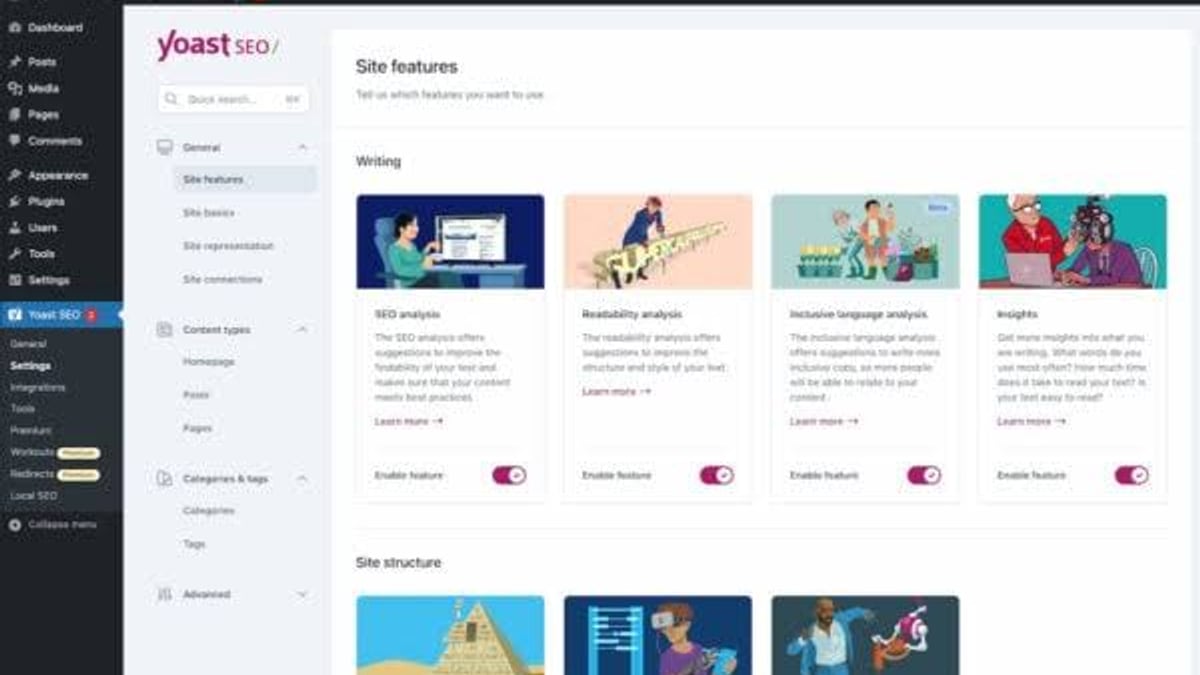
- Under SEO > General, review the Features tab. Decide which toggles you need (breadcrumbs, advanced settings).
- For premium users, enter your license key to unlock multi‑keyword analysis, redirect manager, and internal link suggestions.
- Submit your sitemap (found at
/sitemap_index.xml) to Google Search Console.
From there, work through your content piece‑by‑piece, using Yoast’s backend controls but never letting the green lights override your editorial judgment.
Related reading
- AgentBooks vs Machined vs ContentBot.ai: AI Content Platform Showdown - Compare AgentBooks, Machined, and ContentBot.ai for AI-driven content. See which fits brand-aligned SEO content, bulk generation, or quick writing workflows—and where each truly excels.
- AgentBooks vs GravityWrite: Which AI Content Engine Fits Your Growth? - Compare AgentBooks and GravityWrite side by side: an autonomous content platform vs a quick AI generator. See who should choose each for SEO impact and publishing speed.
Sources and further reading
FAQ
Is Yoast SEO free enough for most websites?
Yes. The free version handles meta tags, sitemaps, social cards, canonical URLs, robots.txt, and basic content analysis – covering the majority of on‑page and technical SEO fundamentals.
What does Yoast SEO Premium actually add?
Up to 5 focus keywords per page, internal linking suggestions, a redirect manager (including automatic redirects when you change permalinks), content insights, social previews, and 24/7 support.
Does Yoast SEO guarantee better rankings?
No SEO plugin can guarantee rankings. Yoast makes it easier to implement best practices that can influence rankings, but content quality, backlinks, and technical performance remain the real drivers.
Can Yoast SEO prevent Google algorithm penalties?
No. It doesn’t analyze off‑page factors or link quality. Its content analysis is a guideline; following it blindly can even result in keyword stuffing, which harms rankings.
How does Yoast compare to Rank Math?
Rank Math’s free version includes many of Yoast premium’s features (multi‑keyword analysis, redirect manager, role‑based access) without the yearly cost. Rank Math also offers a built‑in AI content assistant. However, Yoast’s interface is often considered more beginner‑friendly and less cluttered.
Can I use Yoast with Shopify?
Yes. Yoast provides a dedicated Shopify app that handles meta tags, structured data, sitemaps, and page speed improvements. It’s a separate product from the WordPress plugin.
How do I set up Yoast SEO on WordPress?
Install the plugin, run the wizard, connect to Google Search Console, and tailor the SEO > General settings. For a detailed walkthrough, see our step‑by‑step workflow guide that also shows how to combine Yoast with an AI content platform.
Is the Yoast SEO Academy worth it?
If you prefer structured video courses and want to learn SEO from fundamentals to advanced tactics, the academy is well‑regarded. The free content gives you a taste before committing.
The Bottom Line
Yoast SEO remains an excellent technical SEO assistant for WordPress – exactly the kind of tool that silently keeps your site’s foundation solid. The free version alone does the heavy lifting for most individuals and small businesses. The premium upgrade solves a handful of genuine annoyances (automatic redirects, 24/7 support) but can’t replace a sound content strategy, and many of its extras are available elsewhere at no cost.
If you treat Yoast as a helpful spot‑check rather than an optimization oracle, it earns its place in your toolkit. Pair it with smart keyword research, good writing (whether human or AI‑assisted), and a genuine focus on serving your audience, and you’ll have a winning combination – green lights or not.