

Autoblogging AI for WordPress: A Practical Guide to Automated Content Publishing
Automating content on WordPress sounds like a dream: connect a tool, let it write, and watch posts appear while you sleep. The reality is more nuanced. Autoblogging AI tools have matured significantly, but the difference between a site that grows and one that gets ignored by Google often comes down to workflow, quality controls, and how well the tool understands your brand.
This guide breaks down how AI autoblogging for WordPress actually works, what the leading tools offer, and how to set up a system that produces useful content instead of a flood of generic posts.
What Autoblogging AI for WordPress Actually Means
Autoblogging AI for WordPress: Tools, Setup, and Strategy - What Autoblogging AI for WordPress Actually Means.
Autoblogging refers to using software to generate and publish articles with minimal manual intervention. In the WordPress context, this typically involves one of three approaches:
- A SaaS platform that generates articles in the cloud and pushes them to your WordPress site through a plugin, API, or application password.
- A native WordPress plugin that runs directly inside your dashboard and calls AI models like GPT-4, Claude, or Gemini.
- A hybrid workflow where AI drafts content, a human reviews it, and automation handles scheduling and publishing.
The term "autoblogging" often carries a negative connotation from the early days of spun content farms. Modern tools have moved far beyond that, but the responsibility for quality still sits with the site owner.
Key Features to Look for in an AI Autoblogging Tool
Autoblogging AI for WordPress: Tools, Setup, and Strategy - Key Features to Look for in an AI Autoblogging Tool.
Not every tool fits every site. Here are the capabilities that separate serious content engines from basic article spinners.
Content Generation Modes
Most platforms offer multiple generation modes. Quick modes produce short articles from a single keyword. Advanced modes perform SERP analysis, extract entities, and structure content around what currently ranks. Bulk modes let you upload a CSV of hundreds of titles and generate them in batches.
The mode you choose should match your content strategy. A single high-value pillar post deserves the advanced treatment. A long tail of FAQ-style posts can work well with quicker generation.
WordPress Integration Depth
Look beyond "one-click publish." Strong integrations let you:
- Connect multiple WordPress sites from one dashboard
- Schedule posts for future dates
- Set categories, tags, and featured images automatically
- Push updates to existing posts
- Connect to staging sites before production
Some platforms, like Autoblogging.ai, offer a dedicated WordPress plugin for direct connection. Others rely on API keys or application passwords. Both work, but a native plugin usually means fewer setup headaches.
SEO and Research Capabilities
The best tools don't just write—they research. Features like competitor SERP analysis, LSI keyword extraction, entity mapping, and AI visibility tracking help content align with what search engines and AI answer engines actually reward.
Generative Engine Optimization (GEO) is becoming a distinct discipline. Tools that optimize for Google's AI Overviews and ChatGPT citations are addressing a shift in how people discover content.
Brand Voice and Knowledge Grounding
Generic AI content fails because it sounds like everyone else. Tools that let you upload brand documents, define tone guidelines, and maintain consistent facts across articles produce noticeably better output. This is the difference between content that reads like a template and content that sounds like your company.
Top Autoblogging AI Tools for WordPress Compared
Autoblogging AI for WordPress: Tools, Setup, and Strategy - Top Autoblogging AI Tools for WordPress Compared.
Autoblogging.ai
Autoblogging.ai positions itself as an all-in-one SEO content platform with seven AI modes, bulk generation up to 500 articles per batch, and direct WordPress publishing. Its feature set includes:
- Godlike Mode for SERP-informed article generation
- Bulk Generation via CSV upload
- News Mode with Google News integration
- Amazon Reviews Mode for affiliate content
- Site Optimizer for batch-optimizing existing WordPress posts
- AI Visibility Tracking for monitoring Google AI Overviews presence
Pricing starts at $12/month (annual billing) for the Starter plan with 40 monthly credits, scaling to $649/month for Enterprise. Every paid plan includes free monthly usage of topical maps, competitor research, and AI visibility keywords.
AI Autoblogger (WordPress Plugin)
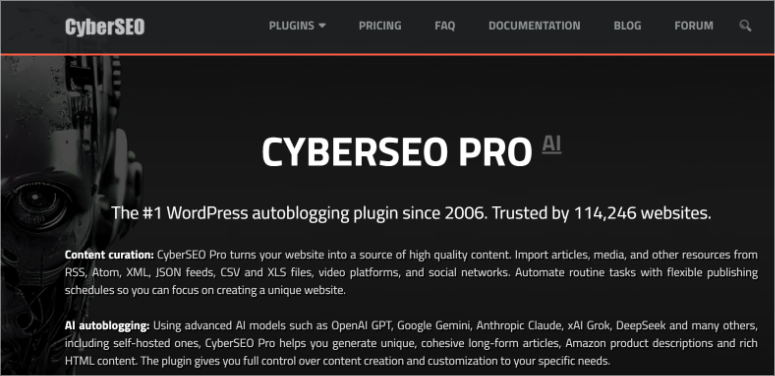
AI Autoblogger takes a different approach: it's a native WordPress plugin rather than a SaaS platform. It supports multiple AI models including OpenAI GPT, Anthropic Claude, Google Gemini, xAI Grok, DeepSeek, and Mistral. Image generation integrates with Midjourney, Stable Diffusion, FLUX, and others.
The plugin's advantage is that everything happens inside WordPress—no external dashboard to manage. It's designed for users who want full control over their WordPress environment and prefer a one-time plugin approach over a subscription platform.
WPAutoBlog
WPAutoBlog focuses on automated organic traffic growth with features like:
- Article generation from titles, keywords, or descriptions
- 50+ language support
- Smart topic cluster generation for domain authority growth
- Automatic internal linking based on your sitemap
- Pabbly Connect integration for post-publishing workflows
Its positioning emphasizes affordability and simplicity, with a focus on getting articles published automatically without complex configuration.
AgentBooks
AgentBooks takes a different philosophical approach to autoblogging. Rather than generating individual articles on demand, it operates as an autonomous content growth platform. You share your website once, and the platform learns your product, maps your market, plans topics, researches organic search results, and continuously publishes content in your brand voice.
Key differentiators include:
- Brand intelligence that extracts product knowledge from your existing site
- Organic research that incorporates top-ranking pages into content planning
- Approval-first or autopilot workflow so you control the level of automation
- Custom domain hosting for published content
- Multilingual output for international reach
The platform adapts to different business models—SaaS, e-commerce, independent websites, and digital products—shaping content around each model's needs, from feature guides and comparison pages to buying guides and audience-specific FAQs. Pricing starts with a free Starter tier, scales to Pro at $29/month for advanced SEO optimization and multilingual publishing, and Team at $99/month for multiple workspaces.
Quick Comparison
| Tool | Approach | WordPress Integration | Standout Feature | Starting Price |
|---|---|---|---|---|
| Autoblogging.ai | SaaS platform | Native plugin | Bulk generation (500 articles) | $12/mo |
| AI Autoblogger | WordPress plugin | Native (in-dashboard) | Multi-model support | Plugin pricing |
| WPAutoBlog | SaaS platform | Direct connection | Topic cluster automation | Subscription |
| AgentBooks | Autonomous platform | Custom domain hosting | Brand-aware continuous publishing | Free tier |
How to Set Up AI Autoblogging on WordPress Without Destroying Your Site

Autoblogging AI for WordPress: Tools, Setup, and Strategy - How to Set Up AI Autoblogging on WordPress Without Destroying Your Site.
Step 1: Define Your Content Boundaries
Before connecting any tool, decide what you will and won't publish automatically. A common approach:
- Fully automated: FAQ posts, glossary entries, product descriptions, news roundups
- Semi-automated (review required): Pillar posts, comparison articles, anything with claims or statistics
- Never automated: Legal pages, pricing announcements, sensitive brand communications
Step 2: Prepare Your Brand Context
Feed the tool everything it needs to sound like you. Upload style guides, product documentation, customer FAQs, and examples of your best-performing content. Tools with knowledge base features or brand intelligence capabilities will use this context to maintain consistency.
Step 3: Start with a Topic Cluster, Not Random Posts
Random articles don't build topical authority. Generate a topic map first—either using a tool's built-in topical map builder or manually. A cluster might look like:
- Pillar: "Complete Guide to [Your Core Topic]"
- Cluster: 8-12 related articles covering subtopics, FAQs, and comparisons
- Supporting: Internal links connecting everything
WPAutoBlog's topic cluster generator and Autoblogging.ai's topical maps both automate this planning step.
Step 4: Configure Publishing Rules
Set explicit rules for:
- Categories and tags: Map content types to specific WordPress taxonomies
- Featured images: Enable AI image generation or set a default fallback
- Author attribution: Decide whether AI content gets a human byline
- Scheduling: Space posts out rather than publishing 50 at once
- Internal linking: Enable automatic internal links or add them manually
Step 5: Monitor and Iterate
Autoblogging is not set-and-forget. Review performance weekly:
- Which articles are getting impressions but no clicks? They need better titles or meta descriptions.
- Which articles rank on page 2? They may need optimization or internal links from stronger pages.
- Which articles get traffic but no engagement? They may need better structure or more depth.
For a deeper look at which SEO tasks benefit most from automation, see our guide on SEO automation workflows.
Common Autoblogging Mistakes That Kill Rankings
Publishing Unreviewed Content at Scale
The fastest way to get a site flagged as low-quality is publishing hundreds of AI articles with no human oversight. Google's helpful content guidelines explicitly target scaled content abuse. Even with advanced tools, a human should review anything that makes claims, cites statistics, or represents your brand.
Ignoring Internal Linking
AI-generated articles often lack contextual internal links. This weakens your site architecture and makes it harder for Google to understand relationships between pages. Tools that automate internal linking help, but you should still manually add links to your most important money pages.
Neglecting E-E-A-T Signals
Experience, Expertise, Authoritativeness, and Trustworthiness still matter. AI content without author bios, sources, or first-hand experience signals will struggle in competitive niches. Add author boxes, cite sources, and include original data or examples wherever possible.
Treating All Content Types the Same
A product review requires different treatment than a how-to guide. Tools with specialized modes—like Amazon review generation or news formatting—produce better results than forcing everything through a generic article generator.
Autoblogging and AI Search Visibility
A significant shift is happening in how content gets discovered. Google's AI Overviews and ChatGPT now answer many queries directly, citing sources in the process. This creates a new optimization target: getting cited by AI answer engines.
Tools are responding. Autoblogging.ai has added AI Visibility Tracking and GEO optimization features. WPAutoBlog explicitly markets ChatGPT recommendation visibility. The implication for autoblogging is clear: content needs to be structured for both traditional search and AI citation.
This means:
- Clear, direct answers to questions early in the article
- Structured data where applicable
- Authoritative sourcing and factual accuracy
- Content that demonstrates genuine expertise, not just keyword coverage
Is AI Autoblogging Right for Your WordPress Site?
Autoblogging works best when:
- You have a clear content strategy but lack the time to execute it manually
- Your niche has a long tail of informational queries you can address systematically
- You have strong brand context to feed the AI
- You're willing to maintain quality oversight
Autoblogging works poorly when:
- You expect instant rankings without any strategy
- Your niche is extremely competitive and requires deep original research
- You have no brand voice or unique perspective to ground the content
- You plan to publish everything without review
Related reading
- SMILE CRM QuickCreator: Features, Pricing & Reviews - Learn how SMILE CRM QuickCreator builds custom CRM apps without code, its key features, deployment options, pricing, and real user feedback.
Sources and further reading
- Autoblogging.ai: Generate Articles Optimized To Rank in One-Click ... - In the digital age, content creation has evolved with the advent of AI technologies. One significant breakthrough in this domain is autoblogging, a method of
- AI Autoblogger - WordPress plugin (GPT-4, Midjourney, Claude, Gemini, Llama) - AI Autoblogger is a full-featured WordPress plugin with support for cutting-edge technologies like OpenAI o1, Anthropic Claude 3.5, Google Gemini Pro, Mistral Large, Stable Diffusion and Midjourney.
- WPAutoBlog.com | Automate Your Article Writing - Let AI write articles for you and automatically publish them to your website.
Frequently Asked Questions
Is AI autoblogging against Google's guidelines?
Google's guidelines target scaled content abuse—mass-produced content with little value regardless of whether AI or humans created it. AI-assisted content that provides genuine value and demonstrates expertise is not automatically penalized. The key is quality, originality, and usefulness.
How much does AI autoblogging for WordPress cost?
Costs range from free tiers (like AgentBooks' Starter plan) to $12-$49/month for entry-level paid plans, up to $649+/month for enterprise solutions. WordPress plugins like AI Autoblogger typically use a one-time or annual license model. Factor in AI model API costs if you're using a plugin that calls external APIs directly.
Can I autoblog in multiple languages?
Yes. Most major platforms support 35-50+ languages. AgentBooks includes multilingual publishing in its Pro plan, while Autoblogging.ai supports 35+ languages across all plans. If multilingual content is a priority, verify language support before committing.
What's the difference between a SaaS autoblogging platform and a WordPress plugin?
A SaaS platform generates content in the cloud and pushes it to WordPress via API or plugin connection. You manage everything from an external dashboard. A WordPress plugin runs entirely inside your WordPress admin, calling AI models directly. SaaS platforms typically offer more advanced features like bulk generation and competitor research, while plugins offer tighter WordPress integration and often lower ongoing costs.
How many articles should I publish per day with autoblogging?
There's no universal number. A new site might publish 1-3 quality articles per day. An established site with strong authority might handle more. Quality and topical relevance matter more than volume. Publishing 50 thin articles daily will likely hurt more than help.
Do I need to edit AI-generated articles before publishing?
Yes, at minimum for fact-checking and brand voice alignment. Even the best AI tools make errors, especially with statistics, dates, and product details. An approval-first workflow—like the one AgentBooks offers alongside its autopilot mode—gives you control without eliminating automation benefits.
Conclusion
AI autoblogging for WordPress has evolved from a spammy shortcut into a legitimate content operations strategy—when done thoughtfully. The tools now available can research competitors, maintain brand voice, optimize for AI search visibility, and publish at scale. But they can't replace strategic judgment.
The sites that win with autoblogging are the ones that treat it as a force multiplier, not a replacement for thinking. They define clear content boundaries, ground the AI in real brand knowledge, maintain human oversight where it matters, and continuously refine based on performance data.
Whether you choose a feature-rich SaaS platform like Autoblogging.ai, a native plugin like AI Autoblogger, a budget-friendly option like WPAutoBlog, or an autonomous content engine like AgentBooks, the principle remains the same: automation amplifies good strategy—it doesn't create one.
If you're ready to explore a more autonomous approach to content growth, learn how AgentBooks turns your website into an always-on content engine. For WordPress-specific setup guidance, check out our step-by-step Yoast SEO installation guide to ensure your automated content is properly optimized from day one.