

How to Use ContentBot.ai: A Practical Setup Guide
ContentBot.ai is an AI writing toolkit built around short-form generation, long-form blog drafts, and automation workflows. If you have an account and want to get real output from it, this guide walks through setup, the core features, a practical first workflow, and how to decide whether it belongs in your stack long term.
What ContentBot.ai actually does
How to Use ContentBot.ai: A Practical Setup Guide - What ContentBot.ai actually does.
At its core, ContentBot.ai bundles three things:
- Prompt-based generation for blog intros, product descriptions, ad copy, and social posts.
- Long-form article drafting that expands an outline into a structured post.
- Workflow automation that chains prompts together and can run in bulk from imported files.
The official ContentBot documentation points new users to a basic training video, which is the fastest way to see the interface before you build anything. For a broader walkthrough of marketing use cases, this ContentBot AI marketing tutorial covers blog posts, email campaigns, and multilingual output, while this ContentBot.ai review and demo focuses on workflows and bulk file imports.
Step 1: Set up your account and workspace
How to Use ContentBot.ai: A Practical Setup Guide - Step 1: Set up your account and workspace.
- Create your account and confirm your email.
- Open the dashboard and locate the main areas: the editor, the workflow builder, and the import/bulk tools.
- Check your plan limits before you generate anything, because credits and word caps determine how much you can test.
If you are still comparing tools and want a lower-risk starting point, it helps to understand what a free tier usually includes before committing. Our breakdown of the AgentBooks free trial explains what a Starter plan typically covers and what to test in the first week, which is a useful checklist even if you are evaluating ContentBot.ai instead.
Step 2: Learn the three generation modes

How to Use ContentBot.ai: A Practical Setup Guide - Step 2: Learn the three generation modes.
ContentBot.ai is easiest to learn if you separate its output types.
Short-form prompts
Use these for headlines, meta descriptions, bullet lists, and social captions. They are cheap in credits and fast to iterate. Write your prompt with a role, a task, and a constraint, for example: "Write five meta descriptions under 155 characters for a B2B analytics dashboard page."
Long-form article drafts
Long-form mode takes a topic or outline and produces a structured draft. The quality depends heavily on the outline you feed it. A five-heading outline with one sentence of intent per heading will outperform a single-line topic prompt almost every time.
Workflow automation
Workflows let you chain steps: research prompt, outline prompt, draft prompt, then a rewrite or tone pass. Once a workflow is saved, you can reuse it across topics. This is the feature that separates ContentBot.ai from a plain chat interface, and it is the one worth learning first if you publish regularly.
Step 3: Build your first workflow
How to Use ContentBot.ai: A Practical Setup Guide - Step 3: Build your first workflow.
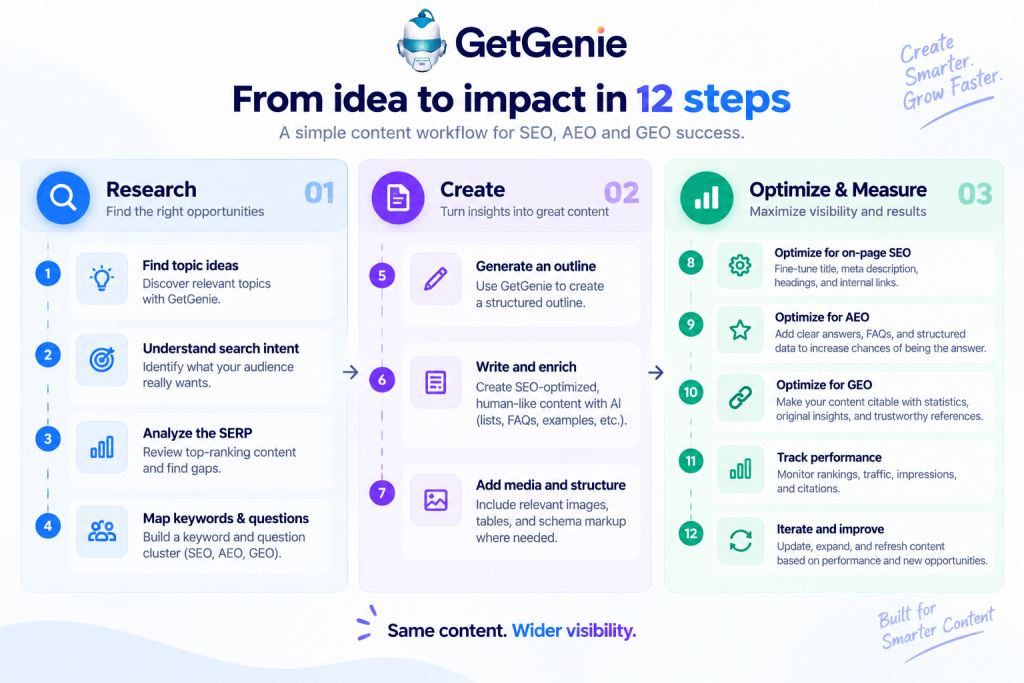
A simple, reusable workflow looks like this:
- Input: topic, target keyword, audience.
- Step one: generate an outline with H2s and H3s.
- Step two: expand each section into 100–150 words.
- Step three: rewrite the draft in your brand voice.
- Step four: generate a meta description and five title options.
Save it, then run it on three test topics. Compare the outputs side by side. If the voice step is weak, adjust the prompt with two or three example sentences from your own published content rather than adding more adjectives.
Step 4: Use bulk imports for scale
Bulk import is where ContentBot.ai becomes a volume tool. You upload a file of rows, and each row runs a prompt or workflow. Typical uses:
- Generating product descriptions from a catalog spreadsheet.
- Creating localized versions of existing pages.
- Producing dozens of meta titles and descriptions from a keyword list.
Before you run a large batch, test with five rows. Check for duplicated phrasing, broken variables, and rows where the model ignored a constraint. Fix the prompt, then scale.
Step 5: Add SEO structure, not just words
AI drafts rarely rank on their own. They need search intent alignment, internal links, and a clear topical position. Two habits make the biggest difference:
- Map keywords to intent before writing. A transactional keyword and an informational keyword should never share the same article template. Our guide to SEO content strategy covers how to plan clusters and match format to intent.
- Publish in clusters, not one-offs. A single post about a topic rarely builds authority; a pillar page plus supporting articles does. The mechanics are explained in this breakdown of topical authority.
If you publish on WordPress, the same discipline applies to on-page setup. This WordPress SEO guide covers the settings and structure that keep AI-assisted drafts from creating technical debt.
Step 6: Review, edit, and fact-check
Treat every AI draft as a first draft from a fast junior writer. That means:
- Verify every statistic, date, and product claim.
- Remove generic filler sentences that add no information.
- Add first-hand examples, screenshots, or data your competitors do not have.
- Check that headings answer the question the reader actually searched for.
Skipping this step is the most common reason AI content underperforms. The tools are fast; the editorial layer is what makes the output useful.
ContentBot.ai vs. an end-to-end content platform
ContentBot.ai is strongest when you already have a strategy and need faster drafting plus workflow automation. It is a generation and automation layer.
A platform like AgentBooks approaches the same problem from the other direction. It starts by crawling your website to build a reusable source of truth about your product, then maps the market, plans topics, researches organic results, and publishes continuously in your brand voice. Where ContentBot.ai gives you a flexible toolkit, an AI content marketing automation platform like AgentBooks connects product understanding, keyword planning, article creation, approval workflows, and publishing in one workspace.
A simple decision rule:
- Choose ContentBot.ai if you want prompt flexibility, bulk generation, and you are comfortable assembling your own strategy and publishing pipeline.
- Choose an end-to-end platform if you want the strategy, research, and publishing loop handled together, especially across multiple languages or large content volumes.
Many teams use both: a dedicated platform for the planned, always-on content engine, and a prompt toolkit for ad hoc copy and experiments.
Common mistakes to avoid
- Running workflows without a brief. The model cannot infer your positioning. Give it audience, offer, and angle.
- Publishing unedited long-form output. It reads fluent but often lacks specifics.
- Ignoring internal links. AI drafts rarely include them unless you ask.
- Scaling before validating. Test five rows or three articles before running a batch of fifty.
Related reading
- SEO Content Strategy: How to Create Content That Ranks - Learn how to plan, write, and scale SEO content that ranks. Covers search intent, keyword research, on-page optimization, and AI-assisted workflows.
- WordPress SEO: A Practical Guide to Rank Higher - Learn how to optimize your WordPress site for search engines: settings, plugins, content structure, and workflows that actually improve rankings.
- How to Use Machined: A Practical Beginner's Guide - Learn how to use machined tools and parts safely: setup, operation, maintenance, and troubleshooting, with practical examples for workshops and digital workflows.
FAQ
Do I need SEO experience to use ContentBot.ai?
No, but you need it to get results. The tool generates text; keyword selection, intent matching, and internal linking still require judgment.
Can ContentBot.ai write full blog posts?
Yes, long-form mode produces structured drafts. Expect to edit for accuracy, specificity, and brand voice before publishing.
What are workflows used for?
Workflows chain multiple prompts into a repeatable process, so the same sequence can run across many topics or imported rows without manual re-prompting.
Is ContentBot.ai good for bulk content?
Bulk imports make it practical for catalogs, localized pages, and large keyword sets, provided you validate a small sample first.
How does it compare with AgentBooks?
ContentBot.ai is a generation and automation toolkit. AgentBooks is an AI content marketing automation platform that also handles product understanding, topic planning, and publishing. The right choice depends on whether you want a tool or a managed content engine.
Conclusion
Using ContentBot.ai well comes down to process, not prompts. Set up your workspace, learn the three generation modes, build one reusable workflow, validate bulk runs on small samples, and keep a strict editorial review step. Do that, and the tool becomes a genuine accelerator. Skip it, and you will produce a lot of fluent text that does not rank or convert.
Start with one workflow and three test articles. Measure what happens, then scale.