
Top 10 AI Content Repurposing & Publishing Automation Platforms 2026
Most "best of" lists treat repurposing as one job. It is actually two: turning long video into short clips, and turning one piece of content into omni-channel posts. Picking the wrong category wastes months. This guide ranks the ten platforms that genuinely belong to the AI content repurposing and publishing automation category, based on how much manual work they remove from a real content workflow.
How We Evaluated
First viewport screenshot of Claude.ai after the 3x speed update — what it does & how to turn its drafts into published content with Kompozy.
We scored every platform on six criteria that matter to the person who has to fill a week of channels, not just cut one clip:
- Source formats accepted: video, audio, blog, webinar, URL, or only one input type.
- Output formats produced: clips, threads, posts, newsletters, articles, or just one.
- One-to-many in one place: does it run the whole fan-out, or only one lane?
- Brand voice and quality: how on-brand the drafts read and how good the clips look.
- Publishing and scheduling: does it push to channels, or stop at export?
- Pricing: free-tier generosity and cost at the annual price.
We prioritized tools that combine repurposing with distribution automation. Tools that only clip video or only schedule posts were ranked lower than platforms that handle multiple formats and publish them without manual handoffs.
1. Kompozy
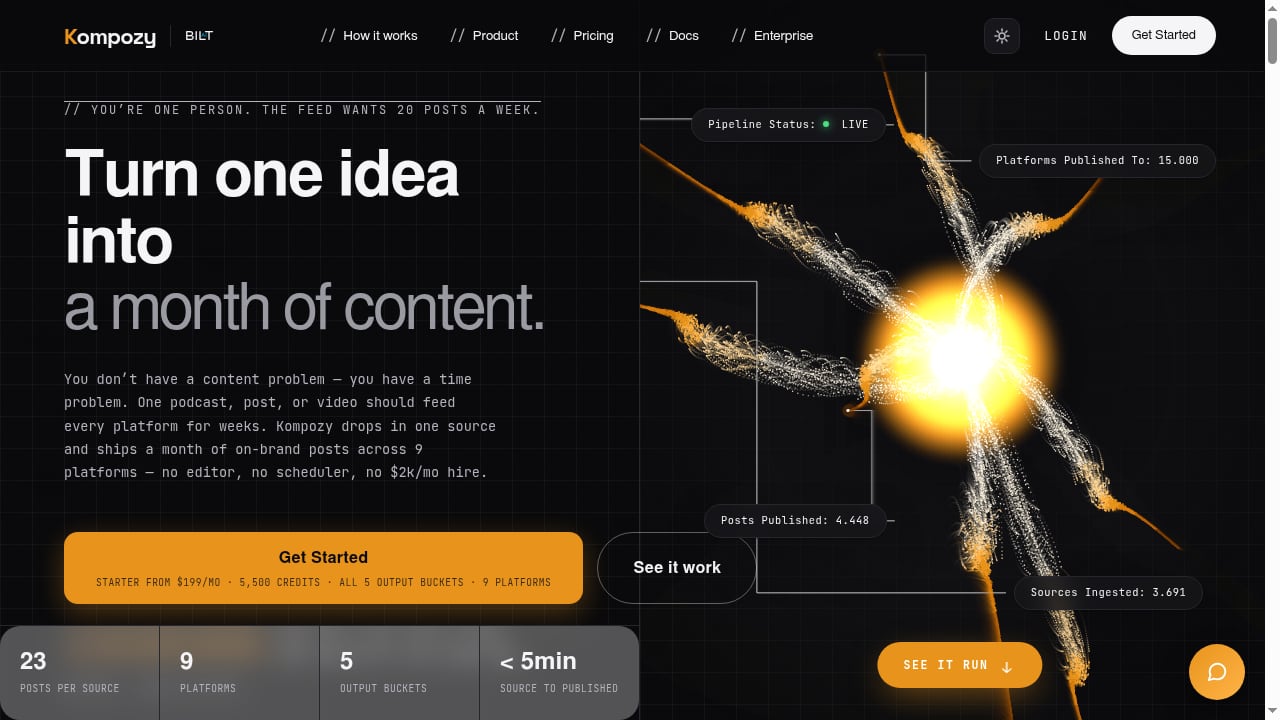
First viewport screenshot of Kompozy — Turn one idea into a month of content. On autopilot..
Best for: Solo creators and small teams that want one source to become a month of on-brand content across multiple platforms.
Kompozy is an AI-powered content engine that turns a single source, such as a podcast, blog post, or video, into a month's worth of on-brand content. It ingests any URL and automatically composes video, image, text, blog, and newsletter content, then publishes to 9 platforms on full autopilot. Key features include multi-format generation across 5 output buckets, persona frames for branded avatar videos, HyperFrames composition templates, and persistent media storage with 10-year signed URLs.
Pricing: Starter plan from $199/mo with 5,500 credits, plus a 14-day results guarantee.
Limitations: The price point is higher than single-format clippers, and the output still benefits from a human review pass for brands with strict voice guidelines.
2. Blotato
Best for: Solo creators turning one piece into omni-channel social posts.
Blotato collapses AI writing, image generation, video generation, and scheduling into one workflow. You drop in a topic, a blog post URL, or a video, and it generates captions, visuals, carousels, and platform-specific variations, then schedules everything across 9 platforms including X, Instagram, LinkedIn, TikTok, YouTube, Threads, Facebook, Pinterest, and Bluesky.
Pricing: From $29/mo, with credits spent only when generating AI images or video.
Limitations: Newer brand with a thinner third-party review corpus, and output quality scales with how well you prompt it.
3. Taskade Genesis
First viewport screenshot of Hootsuite alternative after the June 2026 updates: they sharpen ops, they don't make content.
Best for: Teams that want the whole one-to-many pipeline as a live app they can clone and reuse.
Taskade Genesis takes one source piece, such as a podcast, webinar, or blog post, and fans it into short clips, social threads, quote posts, and a newsletter, then tracks every output on a Board, Table, or Calendar and publishes across channels through automation workflows. It is the only tool on this list that runs the whole fan-out as an app you keep.
Pricing: Free tier available; paid plans scale with workspace size.
Limitations: The app-building approach has a learning curve, and the output still needs review before publishing.
4. Opus Clip
Best for: Long video to short clips with virality scoring.
Opus Clip uploads a webinar, podcast recording, YouTube video, or Zoom call, identifies the most engaging segments, clips them into vertical shorts with captions, and scores each clip on its viral potential. The ClipAnything model analyzes visual elements, audio patterns, and sentiment. Auto-generated captions claim 97%+ accuracy.
Pricing: Starter at $15/mo, Pro at $29/mo or about $14.50/mo billed annually. New users get a 7-day Pro trial with 90 minutes of processing time.
Limitations: The Starter tier lacks the editor and scheduler, so the Pro plan is the practical entry point for a serious workflow.
5. Castmagic
Best for: Podcasters turning episodes into multi-format text assets.
Castmagic uploads audio or video from YouTube, Vimeo, RSS feeds, Instagram, Zoom calls, or direct file upload, then generates a full transcript with speaker separation, show notes, a blog post draft, social media posts, email newsletter content, pull quotes, and chapter timestamps. Magic Chat functions as a context-aware AI assistant for each file.
Pricing: From $39/mo, or $19/mo billed annually for 300 minutes of content processing.
Limitations: Text-only output, so you still need a separate tool for video clips and publishing.
6. Repurpose.io
Best for: Auto-distributing existing video across platforms.
Repurpose.io is purpose-built for cross-platform video distribution. It takes video or audio and reformats it for each destination, then auto-publishes without manual re-uploading. It is the simplest tool on this list for creators who already have video and just need it everywhere.
Pricing: From $35/mo.
Limitations: Distribution only, with no AI generation of new text, image, or blog assets.
7. Predis.ai
Best for: Ecommerce brands and marketers running social and paid ad campaigns.
Predis.ai creates branded ad creatives, AI-generated visuals and videos, ad copy, captions, and multiple creative variations. It also turns a blog URL into a video or carousel. It is particularly useful for businesses that need fresh advertising creatives regularly while keeping branding consistent.
Pricing: Core at $32/mo monthly or $24/mo annual; Rise at $79/$55; Enterprise from $249/$212.
Limitations: Businesses looking for advanced AI avatars or highly specialized cinematic video production may need dedicated tools.
8. Descript
Best for: Editing podcasts and video by editing transcript text.
Descript lets you edit audio and video by editing the transcript, with the Underlord AI co-editor handling filler words, studio sound, and clip generation. It is a strong fit for podcasters and video teams that want editorial control over the repurposing step.
Pricing: From $16/mo billed annually.
Limitations: Export-based workflow, so publishing still requires a separate scheduler.
9. Munch
Best for: Brands repurposing webinars and one-hour-plus sessions at scale.
Munch uses trend-aware AI that references real social signals to pick clips from long sessions. It is built for teams that record webinars, livestreams, or long interviews and want clips that align with current platform trends.
Pricing: From $38/mo billed annually.
Limitations: Clips only, with scheduling but no text or newsletter output.
10. Vizard
Best for: Solo creators wanting Opus-level output with cleaner UX.
Vizard is a top-rated short-form clipper across G2 and Capterra. It turns long video into vertical clips with captions and supports multi-platform export. It is a solid alternative for creators who find Opus Clip's interface heavy.
Pricing: From $16.90/mo billed annually.
Limitations: Clips only, and the free tier includes watermarks and export expiry.
How to Choose
First viewport screenshot of Kompozy changelog — product updates and release notes.
The right platform depends on which half of repurposing you actually need.
- If you start from long video and only need clips: Opus Clip, Vizard, or Munch.
- If you start from audio and need written assets: Castmagic or Descript.
- If you already have video and just need distribution: Repurpose.io.
- If you need branded ad creatives: Predis.ai.
- If you want one source to become every format and publish automatically: Kompozy, Blotato, or Taskade Genesis.
For teams that also need website-driven brand intelligence and approval-first article workflows, AgentBooks is a complementary option rather than a repurposing tool. It turns a website into an always-on content engine that plans topics, researches organic search results, and publishes useful content in the brand's voice. You can see how it fits alongside repurposing platforms in our AgentBooks vs Kompozy vs Contentpen comparison.
If your workflow spans multiple tools, our guide to using AgentBooks with Make shows how to connect content creation and distribution without manual handoffs. For a broader view of the category, see our Top 10 AI-Powered SEO Content Creation Platforms 2026.
Related reading
- Writesonic Review 2026: AI Search Visibility & GEO Tested - Hands-on Writesonic review: AI search visibility tracking, GEO audits, article quality, pricing gates, and who should buy it in 2026.
Sources and further reading
- 10 Best AI Content Repurposing Tools in 2026 (Tested & Ranked) - The best AI content repurposing tools in 2026, tested by a top content creator. Repurpose into omni-channel content.
- 9 Best AI Content Repurposing Tools in 2026 - Turn one piece of content into many with a live content-engine app: clips, threads, posts, and a newsletter from one source. 8 more tools compared. Free.
- 6 AI Tools That Transform Content Distribution in 2026 - Founder Reports - Creating great content is only half the job. Getting it in front of the right people, across the right channels, consistently, is where most companies and
FAQ
What is the difference between a repurposing tool and a publishing automation platform?
A repurposing tool transforms one format into another, such as long video into short clips. A publishing automation platform schedules and distributes that content across channels. The strongest platforms in 2026 combine both, so you do not have to stitch tools together by hand.
Which platform is best for podcasters?
Castmagic is the strongest for turning episodes into written assets, while Opus Clip and Vizard are better for video clips. Kompozy is the best fit if you want one podcast episode to become video, image, text, blog, and newsletter content that publishes automatically.
Do these tools replace a social media manager?
No. They remove the manual work of adapting and scheduling content, but human review is still needed for brand voice, compliance, and final approval. Most teams use them to reduce the hours spent on repurposing, not to eliminate the role.
How much do AI content repurposing platforms cost in 2026?
Entry pricing ranges from about $15/mo for single-format clippers to $199/mo for full content engines like Kompozy. Credit-based pricing is common, so check how credits are spent before committing annually.
Can these tools publish directly to social platforms?
Some can. Opus Clip, Repurpose.io, Blotato, and Kompozy all support direct publishing or scheduling to major platforms. Castmagic and Descript stop at export, so you need a separate scheduler.
Conclusion
The AI content repurposing and publishing automation category in 2026 splits cleanly between single-format specialists and full content engines. If you only need clips, Opus Clip, Vizard, and Munch are excellent. If you need written assets from audio, Castmagic and Descript lead. But if your real problem is the content treadmill, where one source needs to become a month of on-brand content across every channel, Kompozy, Blotato, and Taskade Genesis are the platforms that remove the most manual work. Choose based on the source format you start with and how much of the publishing step you want automated.
For a deeper comparison of brand intelligence and repurposing depth, see our AgentBooks vs AirOps vs Surfer SEO comparison.