

SEO Content Machine Review: An Agentic SEO Workspace Tested
SEO Content Machine (SCM) has evolved from a scraping and article-spinning utility into an agentic SEO workspace that plans, writes, links, and publishes content. This review examines its capabilities, pricing, and fit for different workflows, based on product documentation and verified user feedback. If you're evaluating whether SCM can replace a patchwork of SEO tools, this breakdown will help you decide.
What SEO Content Machine Actually Does
First viewport screenshot of Changelog | SEO Content Machine.
SCM is a desktop application for Windows, Mac, and Linux. At its core, it connects to your website and Google Search Console, then uses an AI agent to analyze your existing pages and real search demand. The agent proposes new content ideas and flags pages that need refreshing. The workspace includes a site plan, link graph, document editor, and chat interface, so you can move from planning to drafting to publishing without switching tools.
Key capabilities include:
- AI Writer with polish and rewrite tools
- Page Pipeline for bulk content generation from CSV imports
- Automated internal linking based on your site's link graph
- Programmatic SEO workflows that expand a single seed keyword into topic clusters and page plans
- Direct WordPress publishing
- Integration with multiple AI models (OpenRouter, Gemini, Claude, and local models)
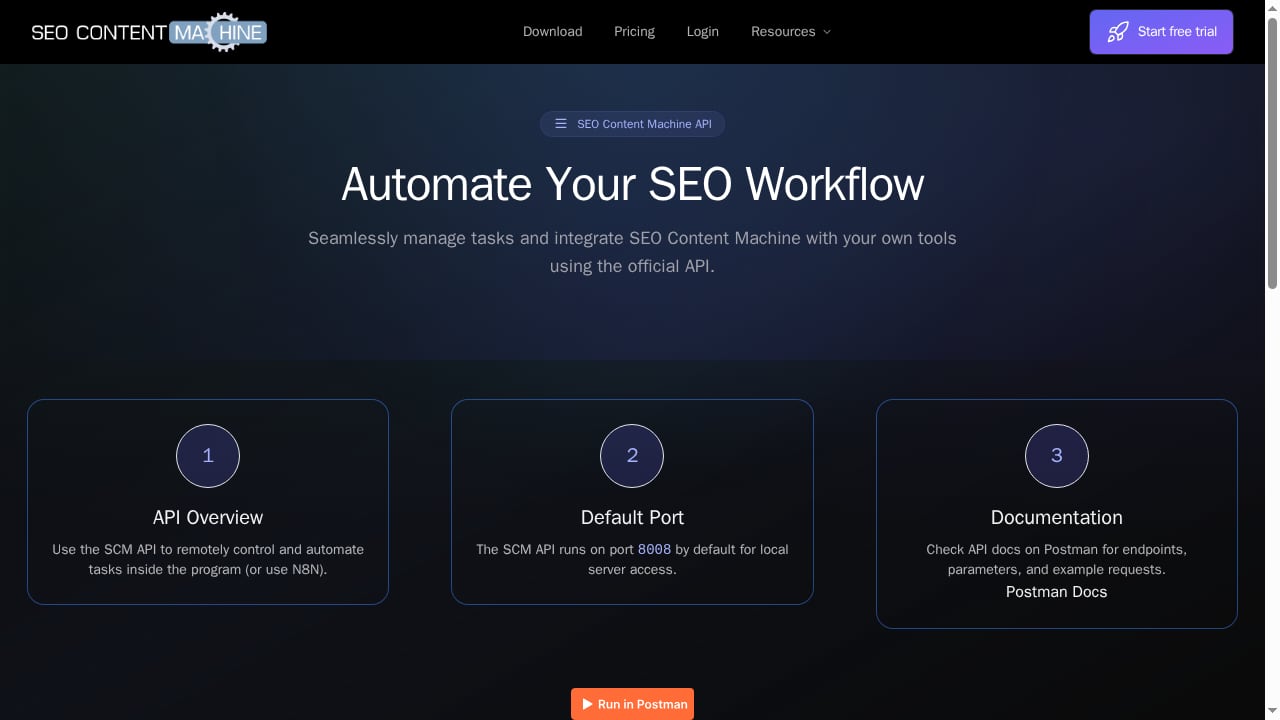
- API (TAPI) and MCP server for automation with external tools like Claude Code and N8N
Who Is SEO Content Machine For?
First viewport screenshot of seocontentmachine.com.
SCM is not a one-click content generator for beginners. Its strengths align with specific user profiles:
Ideal Users
- SEO agencies and consultants managing multiple client sites who need to scale content production while maintaining control over strategy.
- Programmatic SEO practitioners who want to generate large topic clusters from seed keywords and automate internal linking.
- Technical marketers comfortable with APIs, local models, or bringing their own AI keys to reduce costs.
- Content operations teams that need a centralized workspace for planning, drafting, and publishing across WordPress sites.
- Budget-conscious solo founders who prefer a one-time license over recurring subscriptions.
Less Suitable For
- Non-technical users seeking a fully managed, push-button content service.
- Teams requiring native collaboration (real-time editing, comments, approvals) — SCM is primarily a single-user desktop app.
- Brands with strict editorial governance that need advanced brand voice controls or multi-step approval workflows out of the box.
Strengths: Where SCM Delivers
First viewport screenshot of seocontentmachine.com.
1. Agentic Planning Grounded in Real Data
The AI agent reads your site and Search Console data to suggest content plans. This is more actionable than generic keyword lists because it accounts for your existing content and actual search demand. You can see the steps the AI took in a task log, which adds transparency.
2. All-in-One Workspace
Planning, writing, internal linking, and publishing live in one interface. The link graph and site plan help maintain topical authority as you scale. For teams tired of exporting CSVs between tools, this consolidation saves time.
3. Flexible AI Model Support
You can use SCM's built-in AI credits, bring your own API keys (OpenAI, Gemini, Claude via OpenRouter), or run local models. This flexibility lets you control costs and data privacy. The MCP server and TAPI open doors to custom automations with tools like Claude Code and N8N.
4. Programmatic SEO at Scale
Starting from a single seed keyword, SCM can generate full topic clusters and page plans. The Page Pipeline then bulk-generates content from CSV imports. This is a powerful combo for directory sites, e-commerce category pages, or large blogs.
5. Transparent Pricing and Lifetime Option
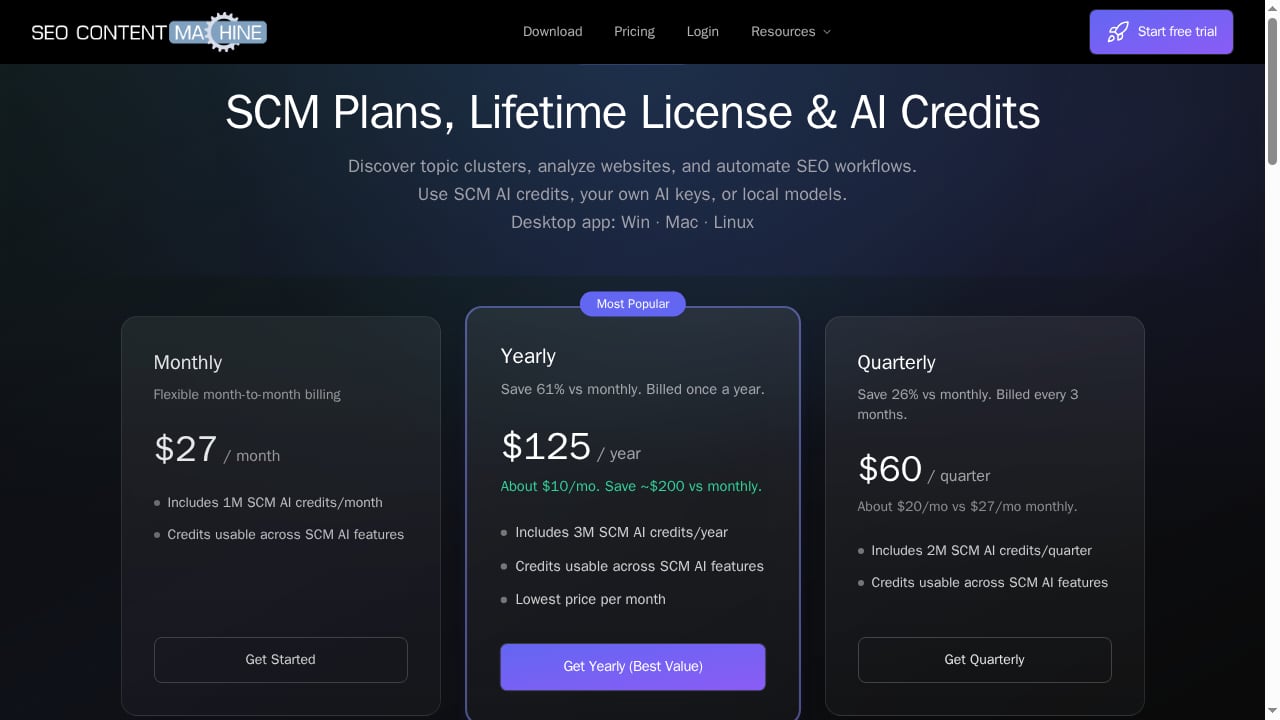
At $27/month (1M credits), $60/quarter (2M credits), or $125/year (3M credits), SCM is competitively priced. The $208 one-time license includes a year of updates and lifetime access to the software version you own — a rarity in SaaS. A 14-day free trial with 100,000 credits lets you test before committing.
Limitations: What to Watch For
1. Learning Curve
SCM is a toolbox, not a guided wizard. Verified users note a learning curve, though the developer provides tutorials and responsive support. Expect to invest time in understanding scrapers, task chains, and pipeline configuration.
2. Desktop-Only, Single-User Focus
There is no native cloud collaboration. Teams needing multi-user access, role-based permissions, or real-time co-editing will find SCM limiting. It's best suited for individual operators or small teams sharing a single license.
3. AI Credits Can Run Out
Heavy content generation consumes credits quickly. While you can bring your own keys, the built-in credit system may require top-ups for high-volume workflows. The monthly plan's 1M credits may be tight for aggressive publishing.
4. Scraping-Centric Heritage
SCM's roots in scraping mean some features (like the scraper suite) may feel more technical than necessary for modern AI-first workflows. However, these tools remain useful for research and data collection.
5. No Built-In Brand Voice Intelligence
While you can prompt for tone, SCM lacks advanced brand voice modeling or style guides that some competitors offer. For brand-sensitive content, you may need additional review steps.
Pricing Signals and Value
SCM's pricing is straightforward and published openly. The free trial is generous enough to evaluate core workflows. The yearly plan at $125 (about $10/month) offers the best value for regular users. The $208 lifetime license is attractive for those who prefer owning software, but note that after year one, updates require renewal — though you can keep using your version indefinitely.
Compared to subscription-only alternatives, SCM's lifetime option lowers long-term cost. However, if you need extensive AI credits, the recurring plans may be more economical. Bringing your own AI keys can further reduce costs, especially if you already have API credits.
Setup and Workflow: What to Expect
- Install the desktop app (Windows, Mac, or Linux).
- Connect your website and Google Search Console to let the AI agent analyze your content and search data.
- Review the site plan and link graph generated by the agent. Adjust topic clusters as needed.
- Configure AI models — use SCM credits, enter your own API keys, or set up local models.
- Draft content in the document editor or use the Page Pipeline for bulk generation from CSV.
- Automate internal linking based on the link graph.
- Publish directly to WordPress or export for review.
For programmatic workflows, start with a seed keyword, let SCM generate a topic cluster, then refine the page plan before bulk generation. The task log helps debug any issues.
SEO Content Machine vs Alternatives
First viewport screenshot of seocontentmachine.com.
When evaluating SCM, consider how it stacks up against other AI content platforms. For a direct comparison, see our AgentBooks vs SEO Content Machine analysis. If you're looking for a broader market overview, our Top 10 AI Content Marketing and SEO Platforms 2026 ranks options by criteria like automation depth and pricing.
SCM differentiates through its agentic planning, desktop flexibility, and lifetime license. Alternatives may offer stronger collaboration or brand voice features but often at higher recurring costs. For teams focused on programmatic SEO and automation, SCM is a strong contender.
Decision Criteria: Is SCM Right for You?
Use this checklist to decide:
- You manage multiple WordPress sites and want to scale content without switching tools.
- You're comfortable with a learning curve and prefer a powerful toolbox over a simplified interface.
- You value a one-time license or flexible AI model options.
- You need programmatic SEO and automated internal linking.
- You don't require real-time team collaboration or advanced brand governance.
If you answered yes to most, SCM is worth a trial. If you need a fully managed service or enterprise collaboration, explore other options.
Related reading
- Account-Based Marketing Tools: What They Do & Content Gaps - Compare ABM tools, see where personalization breaks down, and learn how AI content automation closes the content gap for target accounts.
- How to Use AgentBooks with Zapier: Automate AI Workflows - Connect AgentBooks with Zapier to automate content approvals, publishing, and distribution. Step-by-step setup, examples, and best practices.
- AgentBooks vs AirOps vs contentmarketing.ai: 2026 Guide - Compare AgentBooks, AirOps, and contentmarketing.ai on AI discovery, content automation, brand voice, and pricing to pick the right platform.
Sources and further reading
- SEO Content Machine Reviews: 4.7/5 - Automate AI content - Read 22 SEO Content Machine reviews from AppSumo users, rated 4.7/5. The deal is sold out. Join the waitlist to get it next time.
FAQ
Is SEO Content Machine a good value?
Yes, for users who leverage its automation and planning features. The lifetime license at $208 is particularly cost-effective for long-term users, though AI credits are separate. The free trial lets you assess value firsthand.
Can I use my own AI API keys with SCM?
Yes. SCM supports bringing your own keys for models like OpenAI, Gemini, and Claude via OpenRouter, as well as local models. This can reduce costs and improve data privacy.
Does SEO Content Machine work on Mac and Linux?
Yes, it's a cross-platform desktop application available for Windows, Mac, and Linux.
How does SCM compare to Kontent Machine?
SCM is positioned as a broader SEO workspace with agentic planning, automation, and publishing, while Kontent Machine is more focused on content generation. SCM offers flexible pricing including a lifetime option.
Is there a free trial?
Yes, a 14-day free trial includes 100,000 AI credits, enough to test clustering, automation, and publishing.
Conclusion
SEO Content Machine is a robust, automation-friendly SEO workspace that shines for technical marketers, agencies, and programmatic SEO practitioners. Its agentic planning, all-in-one workflow, and lifetime license make it a compelling alternative to subscription-heavy platforms. However, the learning curve and lack of native collaboration may deter some. For a deeper dive into how it compares to other tools, read our AgentBooks vs SEO Content Machine comparison and explore our guide to content operations platforms for a wider view.
Sources: