Yoast SEO Download: Free Plugin, Premium, and Setup Guide
Yoast SEO is one of the most widely used WordPress SEO plugins, with more than 10 million active installations. If you are searching for a Yoast SEO download, you probably want to know where to get it, what you actually receive in the free version, whether Premium is worth the cost, and how to set it up without breaking your site.
This guide covers all of that: the official download sources, a feature comparison between free and Premium, a practical installation walkthrough, and an honest look at where Yoast fits in a modern content workflow that now includes AI-driven discovery.
Where to Download Yoast SEO
Yoast SEO Download: Free Plugin, Premium, and Setup Guide - Where to Download Yoast SEO.
There are two legitimate ways to get the plugin. Avoid third-party download sites that repackage WordPress plugins; they can contain outdated or modified code.
Official WordPress Plugin Directory
The free version is available directly from the WordPress plugin repository:
- Plugin page: Yoast SEO on WordPress.org
- Install method: Download the ZIP file, or install it from your WordPress dashboard under Plugins → Add New.
This version receives regular updates and includes the core SEO analysis, readability checks, XML sitemaps, schema output, and the configuration wizard.
Yoast Website
For Premium and add-ons, download from the official Yoast website. After purchase, you receive a plugin ZIP through your MyYoast account, plus a license key to activate updates and support.
- Yoast SEO Premium: The paid upgrade for WordPress.
- Yoast WooCommerce SEO: An extension for online stores.
- Yoast SEO for Shopify: A separate app for Shopify merchants.
Free vs Premium: What You Actually Get

Yoast SEO Download: Free Plugin, Premium, and Setup Guide - Free vs Premium: What You Actually Get.
Before downloading, understand the difference. The free plugin is genuinely useful on its own. Premium adds automation and AI tools that reduce manual work.
Yoast SEO Free
The free version covers the fundamentals:
- Real-time SEO analysis with the traffic light system
- Readability analysis
- Focus keyphrase optimization
- XML sitemap generation
- Basic Schema.org structured data
- Canonical URL management
- Breadcrumbs block
- Social preview for search results
- Bulk editor for titles and meta descriptions
For a small blog or a simple business site, the free plugin handles most on-page SEO needs.
Yoast SEO Premium
Premium builds on the free version with tools aimed at teams and sites with larger content archives:
- AI-generated titles and meta descriptions, page by page or in bulk
- AI Content Planner that suggests site-specific post ideas and builds starter drafts
- Up to five focus keyphrases per page instead of one
- Smart internal linking suggestions to strengthen site structure
- Redirect manager with bulk tools and automatic prompts when you move or delete content
- Orphaned content workout to find pages with no internal links
- Social previews for Facebook and X
- Bot blocker to control which AI crawlers can use your content for training
- Schema aggregation for NLWeb, which combines structured data into a single deduplicated graph
- LLMs.txt management to guide how large language models interact with your content
- Google Docs add-on, so writers can run Yoast analysis before content reaches WordPress
- 24/7 premium support
Premium also includes the Local SEO, Video SEO, and News SEO plugins at no extra cost. The Yoast SEO Premium product page lists current pricing and what is bundled.
Quick Comparison Table
| Feature | Free | Premium |
|---|---|---|
| SEO and readability analysis | Yes | Yes |
| Focus keyphrases | 1 | Up to 5 |
| XML sitemaps | Yes | Yes |
| Basic schema | Yes | Yes |
| AI titles and meta descriptions | No | Yes |
| AI Content Planner | No | Yes |
| Internal linking suggestions | No | Yes |
| Redirect manager | No | Yes |
| Orphaned content finder | No | Yes |
| Social previews | Search only | Facebook and X |
| Bot blocker | No | Yes |
| Schema aggregation for NLWeb | No | Yes |
| Support | Community | 24/7 premium |
How to Install Yoast SEO Step by Step
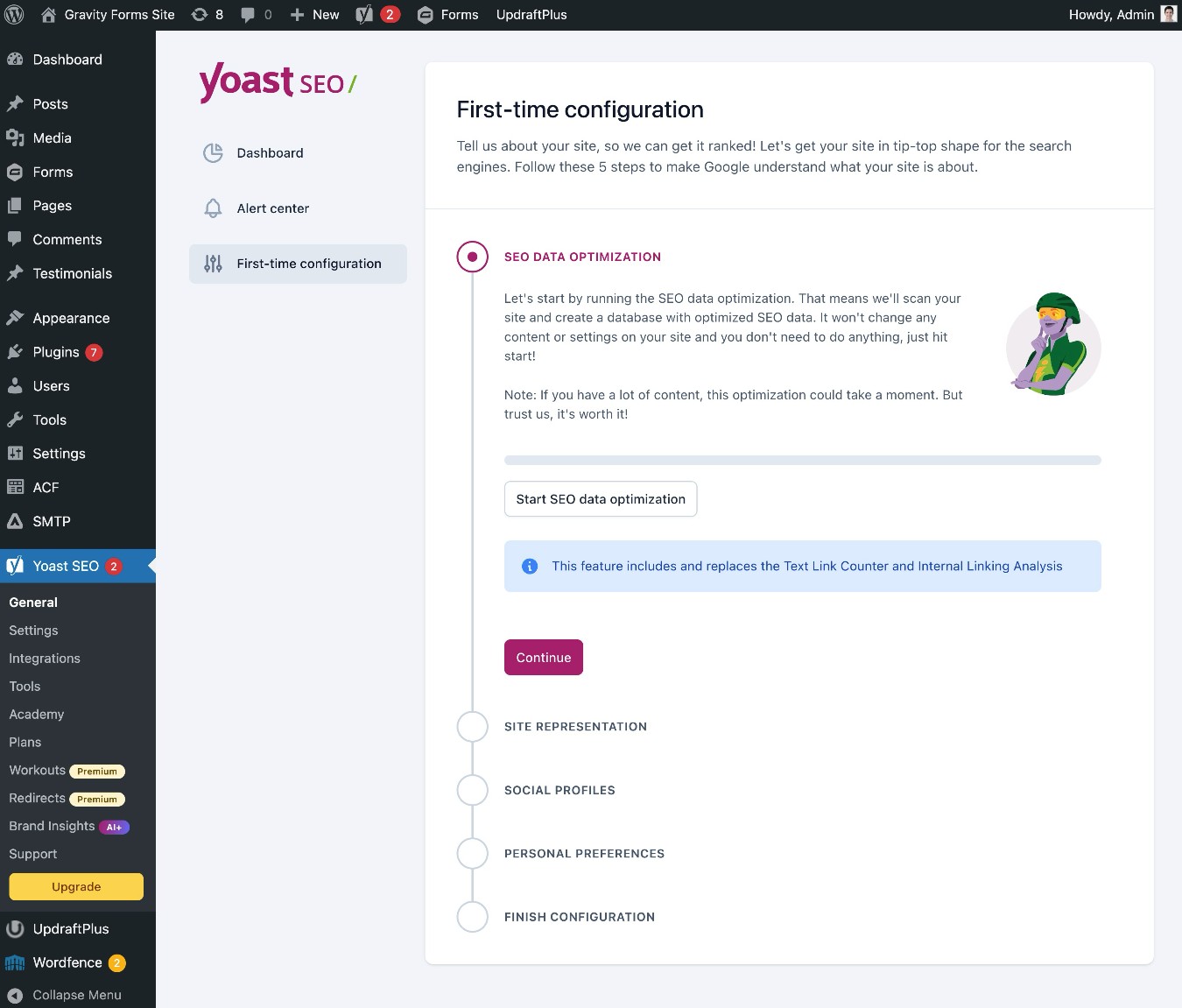
Yoast SEO Download: Free Plugin, Premium, and Setup Guide - How to Install Yoast SEO Step by Step.
Installing the Free Plugin from Your Dashboard
- Log in to your WordPress admin.
- Go to Plugins → Add New Plugin.
- Search for "Yoast SEO."
- Click Install Now next to the Yoast SEO plugin.
- Click Activate.
- Run the configuration wizard when prompted.
Installing Premium via ZIP Upload
- Purchase Yoast SEO Premium from the Yoast website.
- Download the ZIP file from your MyYoast account.
- In WordPress, go to Plugins → Add New Plugin → Upload Plugin.
- Choose the ZIP file and click Install Now.
- Activate the plugin and enter your license key under Yoast SEO → Premium.
If you already use the free version, installing Premium replaces it while preserving your existing settings and data.
For a complete first-time configuration walkthrough, see our Yoast SEO setup guide.
What Yoast Does Well
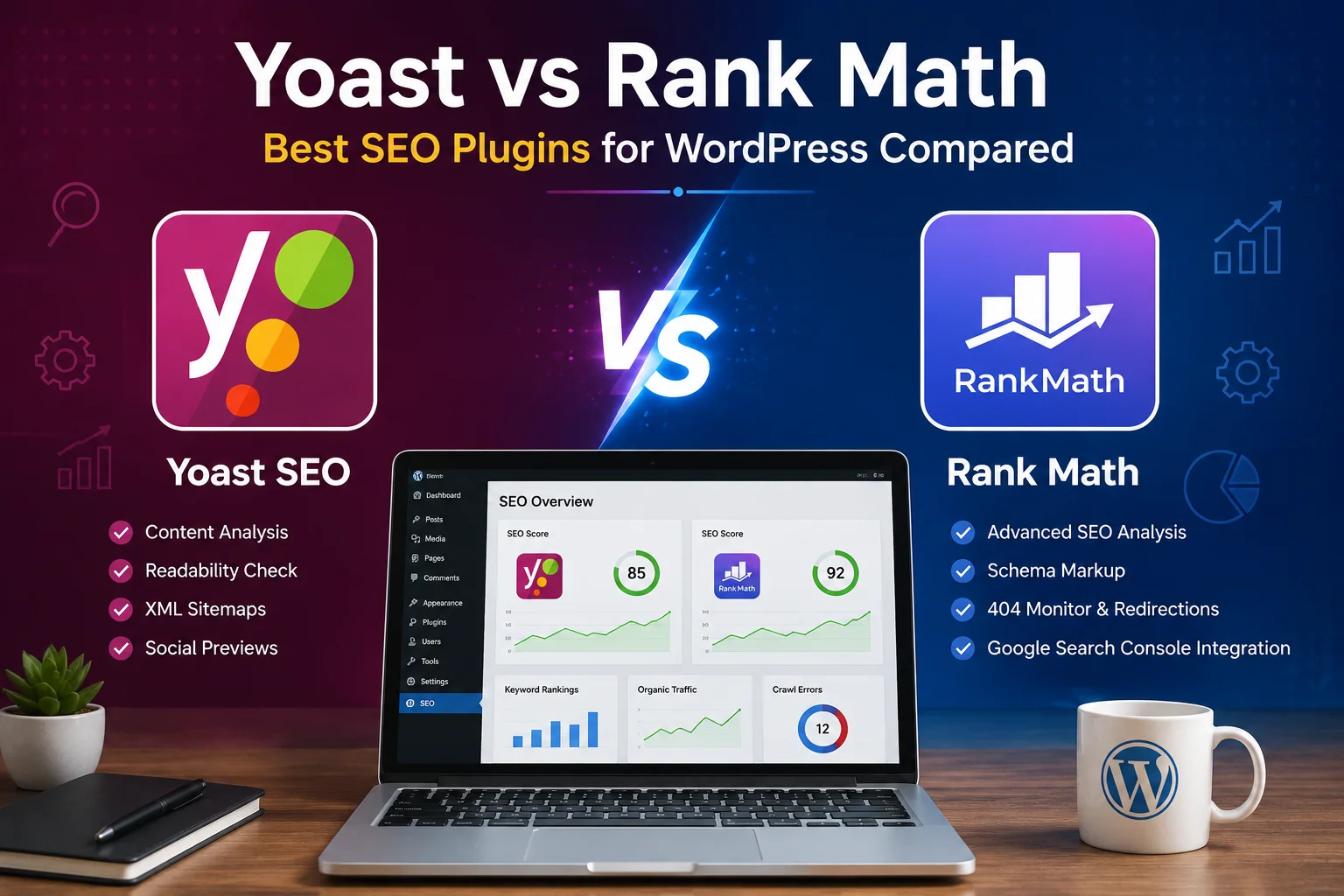
Yoast SEO Download: Free Plugin, Premium, and Setup Guide - What Yoast Does Well.
Yoast's core strength is real-time guidance inside the WordPress editor. Instead of learning SEO theory before publishing, you get immediate feedback: red, orange, or green indicators that tell you what to fix before a post goes live.
The plugin also handles technical SEO in the background. Canonical URLs, XML sitemaps, and structured data are generated automatically, which prevents common indexing problems without manual intervention.
More recently, Yoast has expanded toward AI-driven discovery. The Premium version now includes schema aggregation for NLWeb, an llms.txt manager, and a bot blocker. These features acknowledge that content is now consumed by AI assistants as well as traditional search engines.
Where Yoast Leaves Gaps
Yoast optimizes content you already have. It does not create a content strategy, research topics, or publish new articles on a schedule. For a solo founder or small team, the bottleneck is often not on-page optimization but the production of useful content in the first place.
That is where a different category of tool becomes relevant. Platforms like AgentBooks act as an autonomous content growth engine: they learn your product, map your market, plan topics, research organic search results, and continuously publish useful content in your brand voice. Yoast refines individual pages; an autonomous platform fills the pipeline.
These tools are not direct replacements. A practical workflow uses both: an autonomous content platform to generate and publish brand-consistent articles at scale, and Yoast SEO to verify on-page fundamentals before and after publication.
If you are evaluating content production tools, our QuickCreator review and Contentpen demo walkthrough explain how AI content platforms compare.
Yoast SEO Pricing at a Glance
Pricing changes periodically, so check the official site for current figures. As of this writing:
- Yoast SEO Free: $0
- Yoast SEO Premium: Around $118.80 per year excluding VAT for one site
- Yoast WooCommerce SEO: Bundled pricing on top of Premium
- Yoast SEO for Shopify: Around $19 per 30 days excluding VAT
Bulk discounts apply when purchasing multiple subscriptions. Agencies managing many client sites can request custom licensing.
Is Yoast SEO Still Worth Downloading?
For WordPress users, yes. The free plugin remains one of the most reliable ways to handle on-page SEO, technical fundamentals, and structured data without hiring a specialist. Premium is worth the upgrade if you manage a larger site, publish frequently, or want AI-assisted metadata and internal linking without a separate subscription.
The honest caveat: Yoast does not solve the content production problem. It tells you whether a page is optimized; it does not decide what to publish next or write the article. If your growth stalls because you run out of topics or lack time to draft, pair Yoast with a content engine that handles strategy and production. Then use Yoast as the quality checkpoint before publishing.
Related reading
- Marketing Analytics: A Practical Guide to Data-Driven Growth - Learn what marketing analytics is, which metrics matter, how to collect first-party data, and how to turn insights into a repeatable growth strategy.
- QuickCreator Pricing: Plans, Credits, and What You Actually Get - A practical breakdown of QuickCreator pricing: plan tiers, credit costs, what each plan includes, and how it compares to autonomous content platforms.
Frequently Asked Questions
Is Yoast SEO free to download?
Yes. The core Yoast SEO plugin is free and available from the WordPress plugin directory. Premium features require a paid subscription.
Can I download Yoast SEO Premium without the free version?
Premium includes all free features, so you only need the Premium plugin. If you already use the free version, installing Premium replaces it while keeping your settings.
Does Yoast SEO work on non-WordPress sites?
The main plugin is WordPress-only. Yoast offers a separate app for Shopify, but there is no official Yoast plugin for platforms like Wix, Squarespace, or Webflow.
How many sites can I use Yoast SEO Premium on?
One subscription covers one site or domain. You can purchase multiple subscriptions at checkout, and bulk purchases qualify for a discount.
Does Yoast SEO include AI writing tools?
Premium includes AI tools for titles, meta descriptions, content planning, and optimization suggestions. These are built into the plugin with no separate AI subscription or credit system.
What is the difference between Yoast SEO and an AI content platform?
Yoast SEO optimizes pages you create inside WordPress. An AI content platform like AgentBooks plans topics, researches search results, and publishes complete articles automatically. Many teams use both: the content platform for production, Yoast for final on-page checks.
Conclusion
The Yoast SEO download is still one of the smartest first steps for any WordPress site owner. The free version covers essential on-page and technical SEO, while Premium adds meaningful automation for teams and larger sites. Download it from the official WordPress directory or the Yoast website, run the configuration wizard, and use the traffic light feedback as you publish.
Just remember that optimization is only half the equation. A well-optimized page with thin or infrequent content will not grow organic traffic. If content production is your bottleneck, consider pairing Yoast with an autonomous content platform that keeps your publishing pipeline full, then let Yoast ensure every page meets on-page standards before it goes live.